LinkedIn Profile Picture: What Actually Drives Views (Data Analysis)
I analyzed the data on LinkedIn profile pictures. Here's what actually impacts views and connection rates, plus whether AI headshots are worth it in 2026.

I spent the last month going down a rabbit hole on LinkedIn profile pictures. Not the fluffy "dress professionally and smile" advice you've heard a thousand times. I wanted to know what actually moves the needle on profile views and connection acceptance.
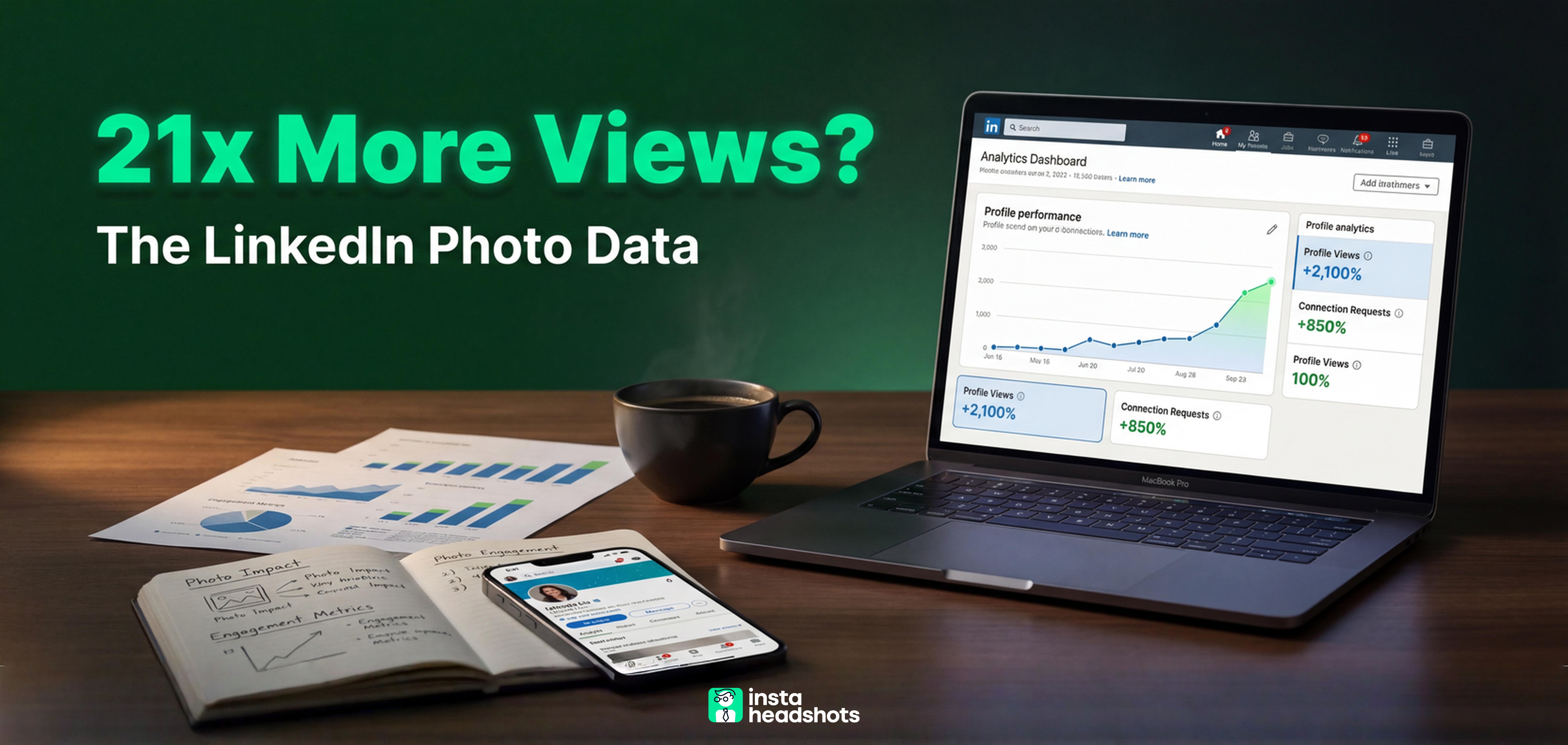
The research here is actually fascinating. I found studies where recruiters preferred AI headshots over real photos 76.5% of the time in blind tests. I found data showing profiles with professional photos get 14 to 21 times more views. And I found some surprising gaps between what people think matters and what the numbers actually show.
Whether you're job hunting, building your network, or just wondering if your current photo is hurting you, I've broken down everything I learned. This isn't about whether you should hire a photographer or use AI. It's about the specific, measurable factors that actually impact how people respond to your profile.
Here's what the data says, plus a framework for deciding what approach makes sense for your situation.
The Quick Answer: What Your LinkedIn Photo Actually Needs
Let me save you some scrolling. After analyzing the research, five factors consistently predict whether a LinkedIn photo performs well:
Face visibility: Your face should fill 60-70% of the frame. Those distant full-body shots? They tank recognition on mobile screens, which is where most LinkedIn browsing happens.
Lighting quality: Soft, directional light creates "catchlights" in your eyes. That small reflection signals vitality and connection. Harsh overhead lighting? It makes everyone look tired.
Background contrast: Neutral backgrounds (gray, blurred office) keep focus on you. Busy backgrounds distract viewers and lower perceived professionalism.
Expression warmth: A natural smile or subtle "micro-smile" correlates with higher likability and perceived competence. The stiff corporate grimace doesn't test well.
Resolution: Export at 1000x1000 pixels minimum. LinkedIn resizes to 400x400, but starting with higher quality prevents the pixelated look that 39.9% of recruiters cite as a turn-off.
Okay, but here's where it gets interesting. The method you use to get your photo (AI, professional photographer, friend with a nice camera) matters far less than whether the final image hits these five criteria.
The Numbers: How Much Does Your Photo Actually Impact Your Profile?
I was skeptical about the "your photo matters" claims until I looked at the actual data. The numbers are more dramatic than I expected.
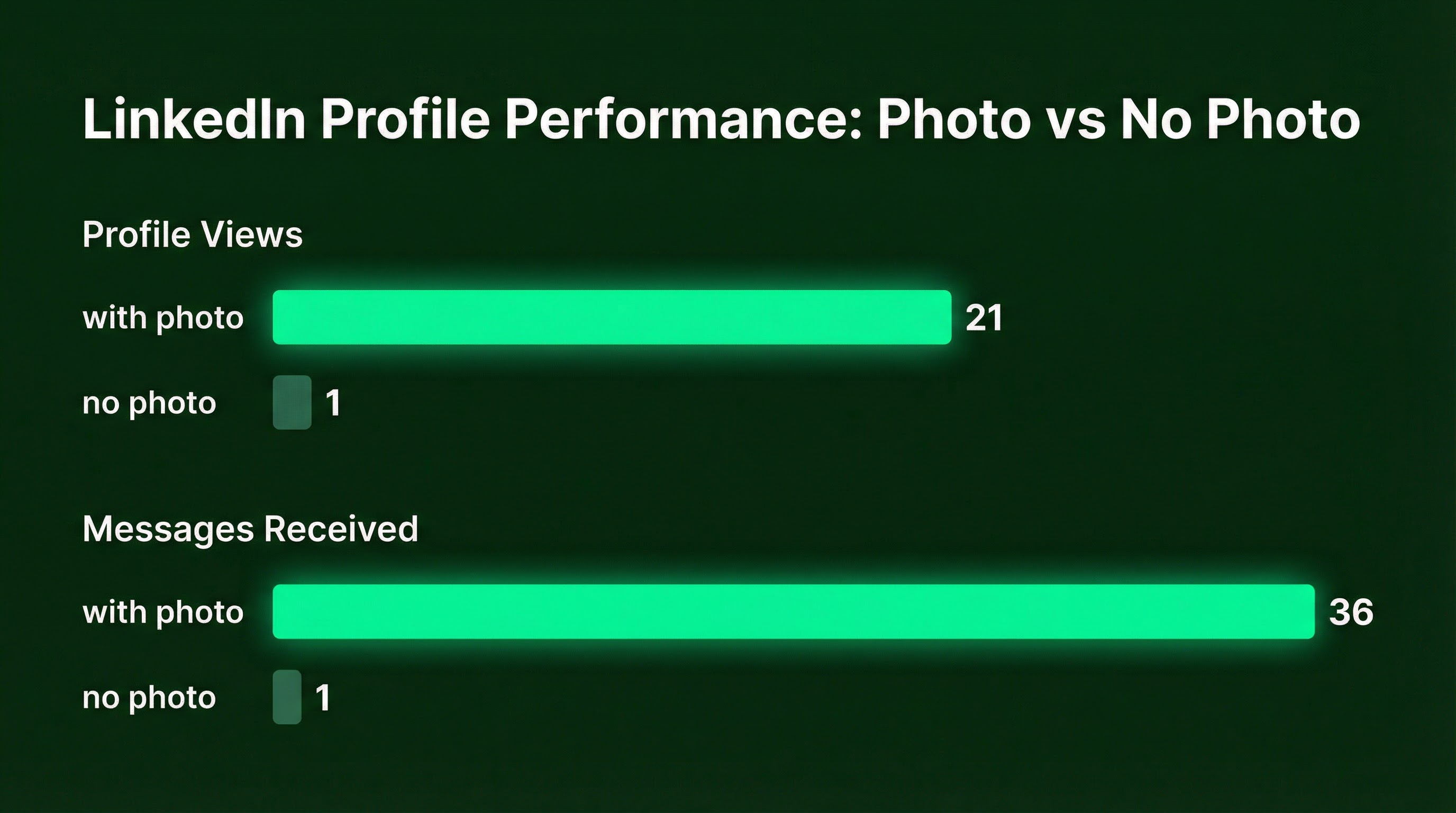
Profiles with professional photos receive up to 36 times more messages than those without. For job seekers specifically, having a professional headshot correlates with a 40% higher likelihood of receiving interview requests in the first month.
But here's the part that surprised me: 71% of recruiters admit to rejecting qualified candidates based on unprofessional photos. Not missing photos. Unprofessional ones.
The psychology makes sense when you dig into it. Research shows people form impressions of a face in as little as 100 milliseconds. And 86% of recruiters spend 30 seconds or less screening a profile, using the photo as a primary anchor for judgment.
That's not a lot of time to make your case. Your photo does most of the heavy lifting before anyone reads your headline.
The Mistakes That Actually Tank Your Credibility
I pulled together the research on what makes recruiters and connections mentally check out. Some of these surprised me.
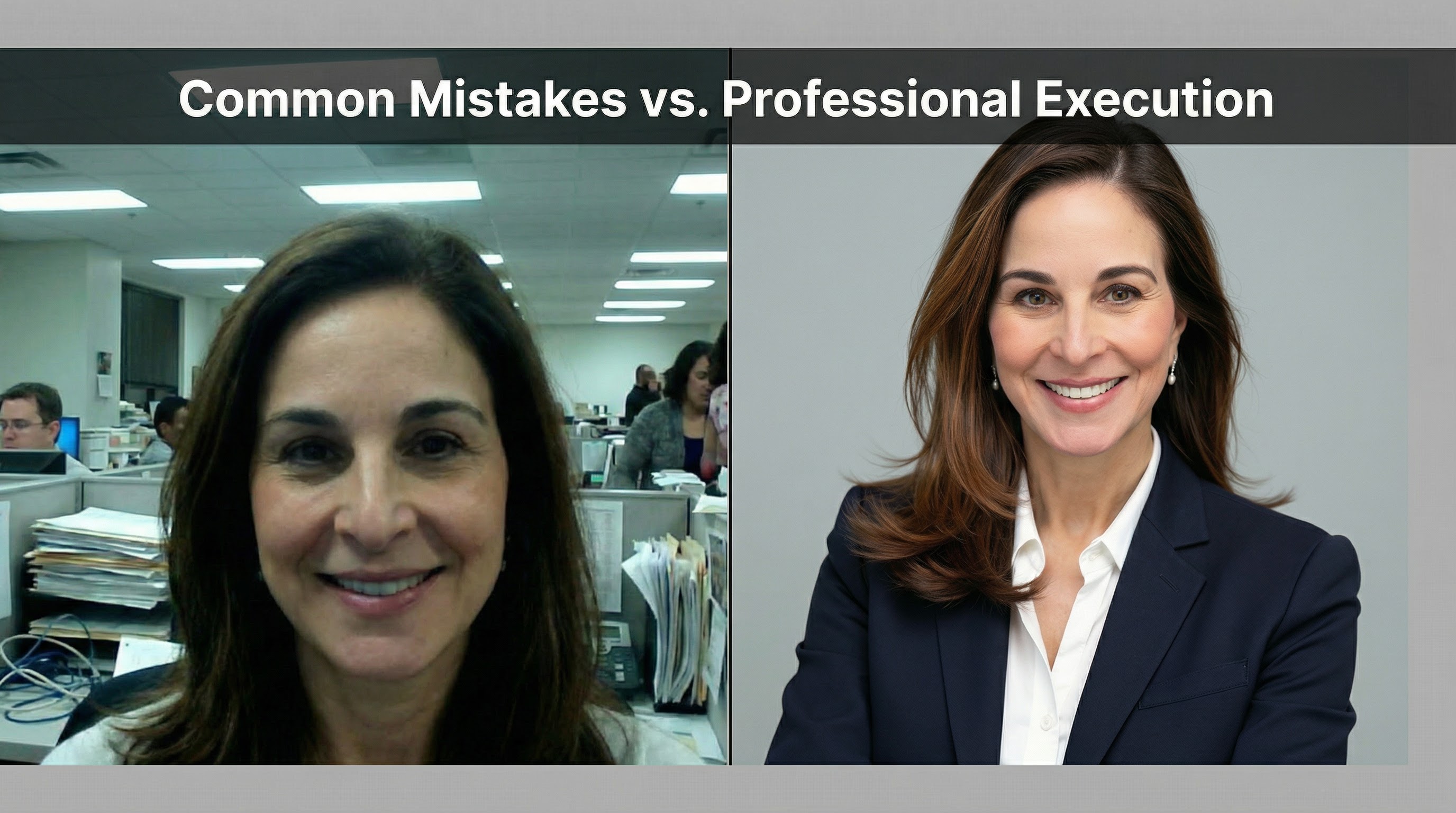
Low resolution and pixelation tops the list. This often happens when people crop themselves out of group photos. The result looks lazy, and recruiters notice.
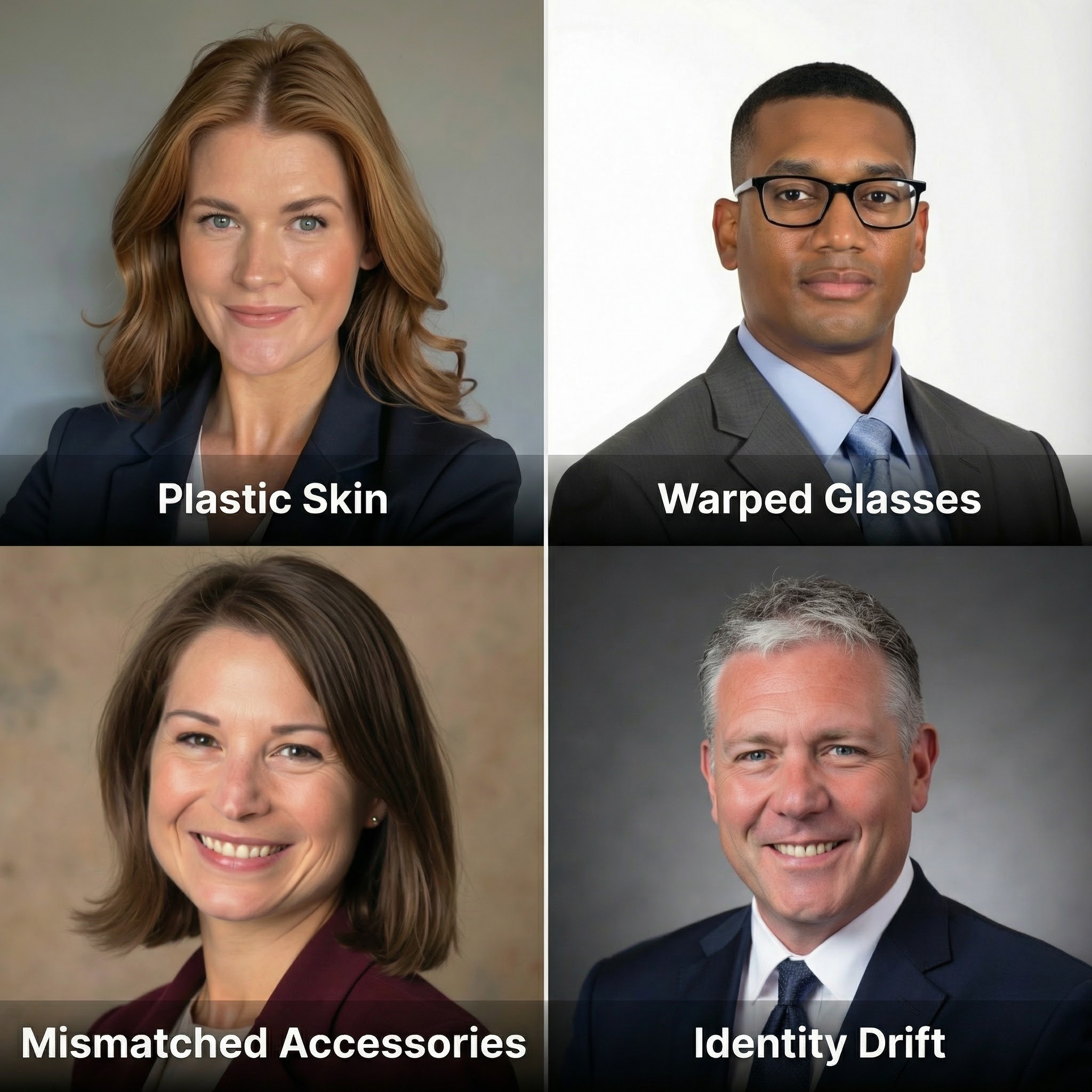
"Uncanny" AI artifacts are the second biggest issue. When people recognize a photo as AI-generated, 66% react negatively. The giveaways include plastic-looking skin, warped glasses, and lighting that doesn't make physical sense.
Inappropriate context still hurts. Party photos, vacation selfies, sunglasses, or anything that reads as "social" rather than "professional" signals poor judgment.
Over-stylized poses backfire too. About 40.9% of recruiters reject photos that look too staged or inauthentic. There's a sweet spot between "random selfie" and "trying too hard."
I've written more about the specific differences between good and bad headshots if you want to audit your current photo.
LinkedIn's Technical Specs (The Stuff That Prevents Hidden Quality Loss)
Let me nerd out on this for a second. LinkedIn compresses your images aggressively, and using the wrong dimensions makes things worse.
| Asset Type | Recommended Size | Aspect Ratio | Max File Size |
|---|---|---|---|
| Profile Photo | 400 x 400 px minimum | 1:1 | 8 MB |
| Cover Photo | 1584 x 396 px | 4:1 | 8 MB |
| Company Logo | 400 x 400 px | 1:1 | 3 MB |
The critical detail most people miss: LinkedIn crops profile photos into a circle. Anything in the corners gets deleted. If your face is positioned too close to the edge, you'll lose part of your hair or chin in the final display.
For best results, position your eyes roughly 40-45% down from the top of the frame. Leave breathing room around your head and shoulders. Export at 1000x1000 pixels or higher (PNG or high-quality JPG at 80-90% quality) so LinkedIn's compression has more to work with.
AI Headshots in 2026: The Data Behind the Hype
Okay, here's the question everyone's actually asking: are AI headshots good enough?
The conventional wisdom is wrong here. I was skeptical too, until I looked at the numbers.
In blind tests, recruiters preferred AI headshots over real photos 76.5% of the time. The AI versions consistently had better lighting and more polish. But here's the paradox: 66% said they'd be put off if they knew it was AI.
The detection reality is interesting. Recruiters only guessed correctly 39.5% of the time, despite reporting 80% confidence in their ability to spot AI images.
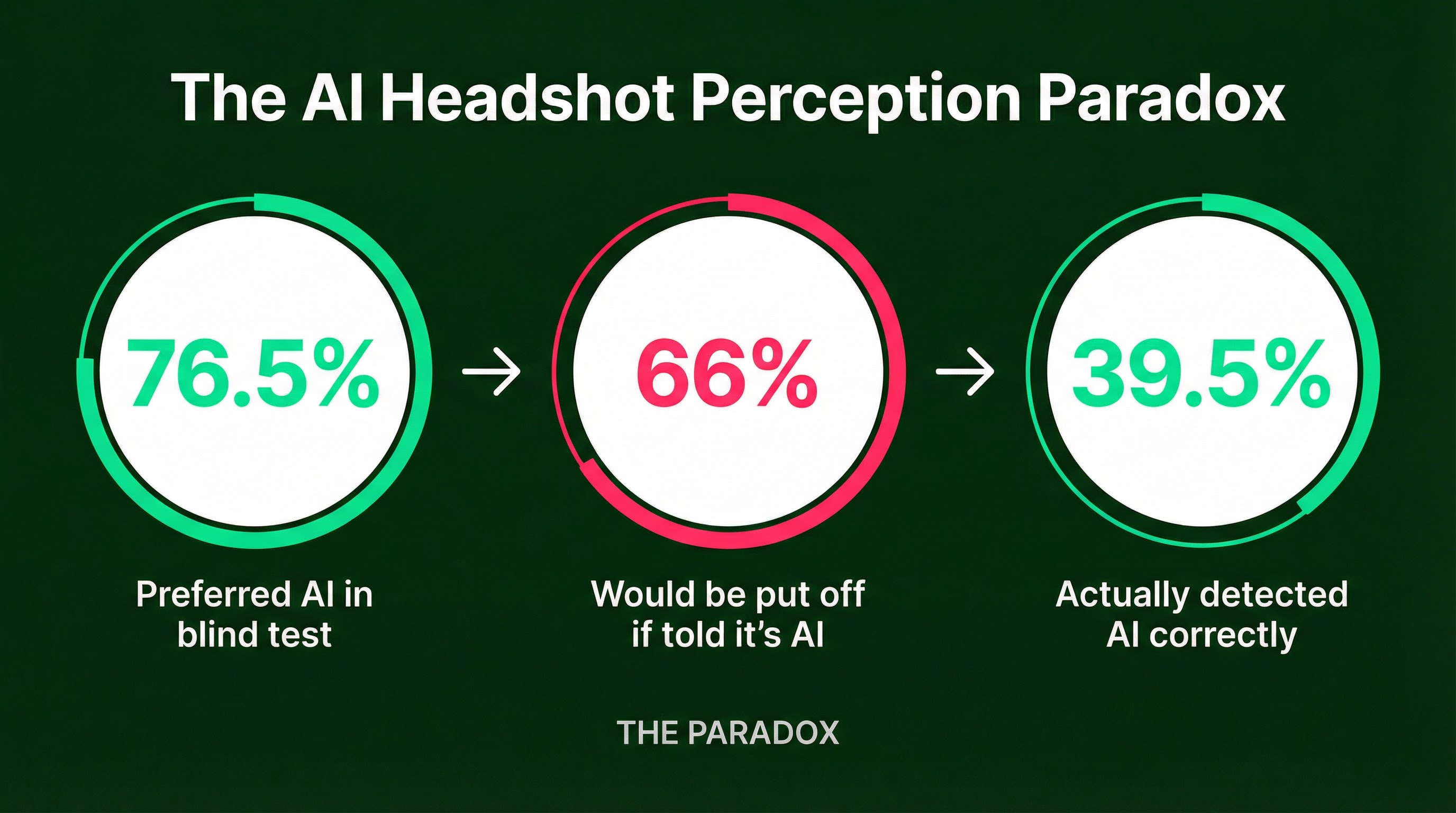
What does this mean practically? AI tools have reached quality parity with average professional photography. The risk isn't that your AI headshot will look "fake." It's that it might have specific artifacts (plastic skin, warped accessories, eyes that don't quite match) that trigger suspicion.
The Known Failure Modes
AI headshot generators in 2026 have specific weaknesses you need to check for:
Plastic skin is the most common giveaway. If your skin looks too perfect, lacking any visible pores or texture, it reads as artificial.
Accessory problems trip up most tools. Glasses often have weird glare or warped frames. Earrings might not match.
Identity drift happens when the AI "idealizes" your face to the point where colleagues wouldn't recognize you. If it doesn't look like you, don't use it.
Cost and ROI: Making the Smart Investment
Let me break down the actual economics, because this is where most advice gets vague.
| Approach | Cost | Time Investment | What You Get |
|---|---|---|---|
| AI Headshot Services | $29-79 | 30-60 minutes | 20-100+ variations |
| Traditional Studio | $200-600+ | Days to weeks | 5-10 retouched finals |
| DIY (Friend with Camera) | $0-50 | 1-2 hours | 10-20 shots, variable quality |
The math favors AI for most professionals. You're paying roughly one-tenth the price of traditional photography, with results in minutes instead of days.
Services like InstaHeadshots generate dozens of options from your uploaded selfies, giving you variety that would require multiple studio sessions to match. The 40% boost in interview requests that research associates with professional headshots doesn't require a $500 photographer to achieve.
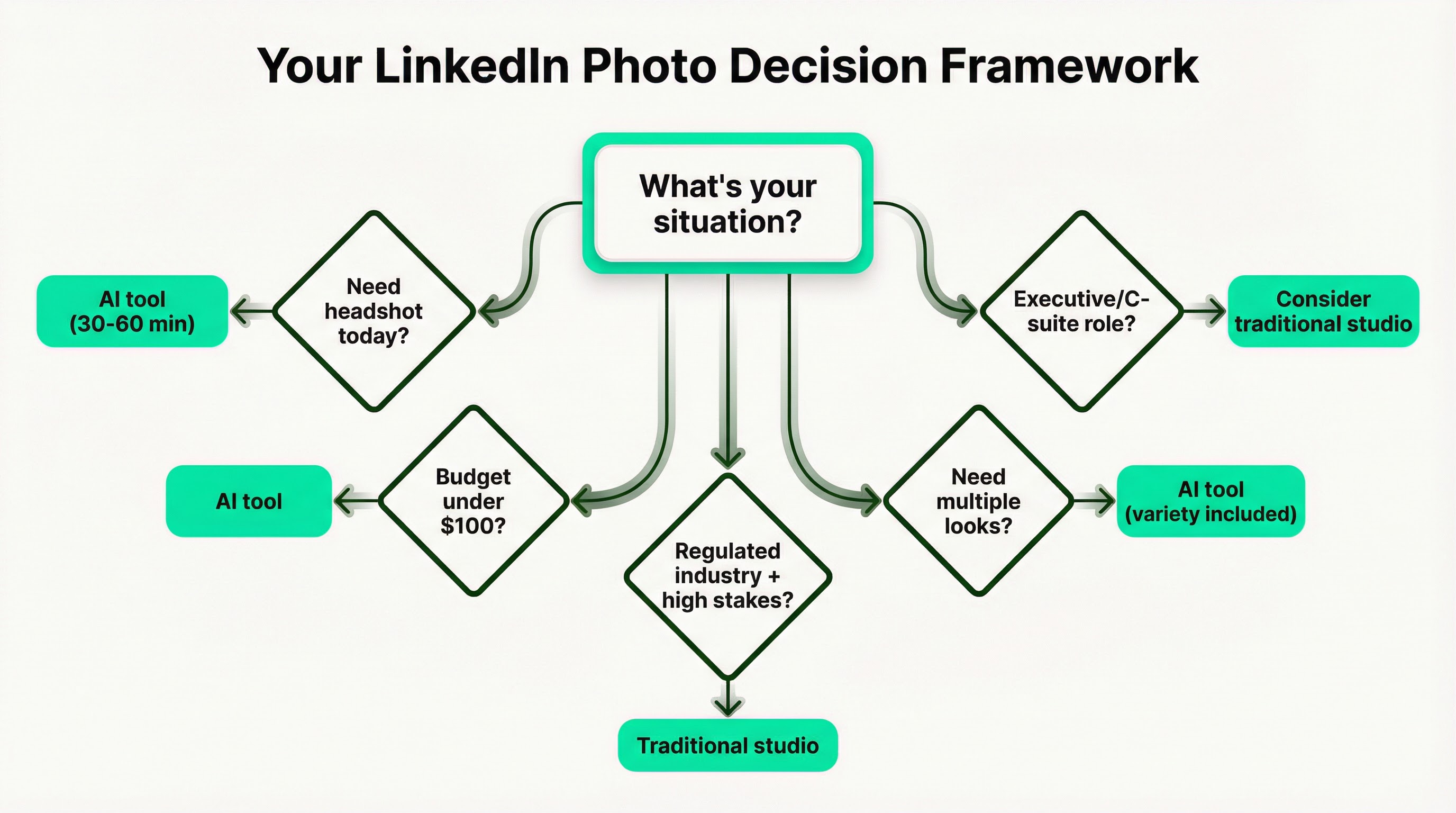
But here's my honest take on when traditional photography still makes sense:
Executive-level roles where authenticity scrutiny is higher. A "too perfect" photo can actually work against you in C-suite hiring.
Regulated industries (legal, medical, financial) where conservative presentation matters and any hint of corner-cutting reads poorly.
Personal branding where you need images for speaking, media, or thought leadership. Traditional photos give you a broader asset library.
For everyone else? AI is the clear winner on ROI.
Industry-Specific Guidance: What "Professional" Actually Looks Like
Professionalism doesn't look the same everywhere. A crisp black blazer signals authority in law but feels cold in wellness or coaching. Your photo should fit wherever your name shows up.
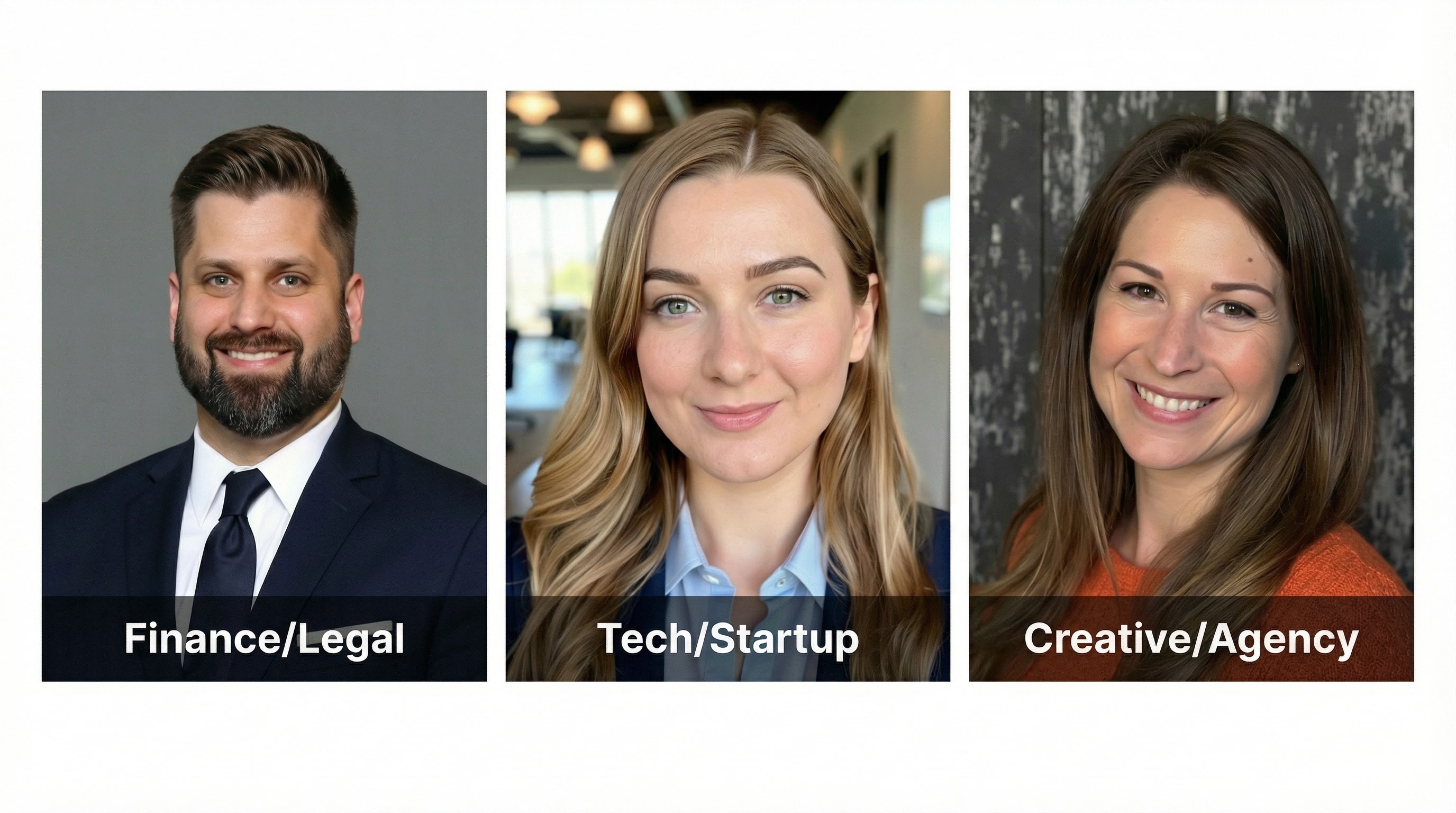
Finance and Legal: Formal business attire (suit, tie, blazer). Navy, charcoal, black. Conservative and authoritative. Solid neutral background.
Tech and Startup: Smart casual (t-shirt with blazer, quality knitwear). Approachable and relaxed but polished. Modern office or abstract backgrounds work well.
Creative and Agency: Personality-driven but professional. Bold colors and unique accessories are acceptable. Expressive, confident, willing to stand out.
The underlying principle: your photo should match the expectations of the people you want to connect with. Looking out of place, in either direction, hurts you.
The Authenticity Checklist: Passing the "Would My Colleague Recognize Me?" Test
Before you publish any headshot (AI or traditional), run through this quick audit:
Skin texture: Can you see visible pores? If skin looks like plastic, it fails.
Eyes: Are the pupils round and natural? Do the catchlights (small reflections) look realistic?
Accessories: Are glasses symmetrical? Do earrings match? Any weird warping?
Recognition test: Would a colleague who's only seen you on video calls recognize you instantly? If there's any hesitation, the photo drifts too far from reality.
If your AI headshot fails any of these, you have options. Adding slight film grain in a photo editor breaks up the "plastic" look. Tools exist for fixing eye reflections. But honestly, if it needs heavy fixes, generate a new batch instead.
What's Coming: The Trends Worth Watching
A few things I noticed in the research that point to where this is heading:
"Perfect" is becoming a liability. As AI headshots get more common, flawless images are starting to signal inauthenticity. The trend is moving back toward photos that show genuine texture and human imperfections.
Content credentials are coming. Platforms like LinkedIn will likely start supporting labels for AI-generated images. Transparency may become the norm rather than a choice.
The quality gap is closing fast. By late 2026, the "plastic skin" problem that plagues current AI tools is expected to be largely solved by new refinement models.
My read: get comfortable with AI tools now, but prioritize authenticity over perfection.
The Bottom Line
After all this research, here's what I walked away with:
Your LinkedIn profile picture matters more than most people think. The data on profile views and message rates is too consistent to ignore. But the method you use to get your photo matters far less than whether the final image follows the principles that actually drive engagement.
Face visibility, lighting quality, background contrast, expression warmth, and resolution. Those five factors predict success regardless of whether you paid $500 for a studio session or $50 for an AI tool.
The conventional wisdom that "professional headshots require a photographer" doesn't hold up to the data. AI tools have reached quality parity with average professional photography. The real question isn't "AI vs traditional." It's "does this photo follow the principles that actually work?"
If you're updating your photo today, start with the five-point checklist at the top of this post. Check your technical specs. Make sure it looks like you. And stop worrying about whether it was taken in a studio or generated by an algorithm.
The numbers don't care. Neither do recruiters, until you tell them.