
How to Get Consistent Team Headshots Across 200 People
A spec, a rollout sequence and a QA checklist for company headshots that actually match. Written for the person who has to run it, not the one who signs it off.

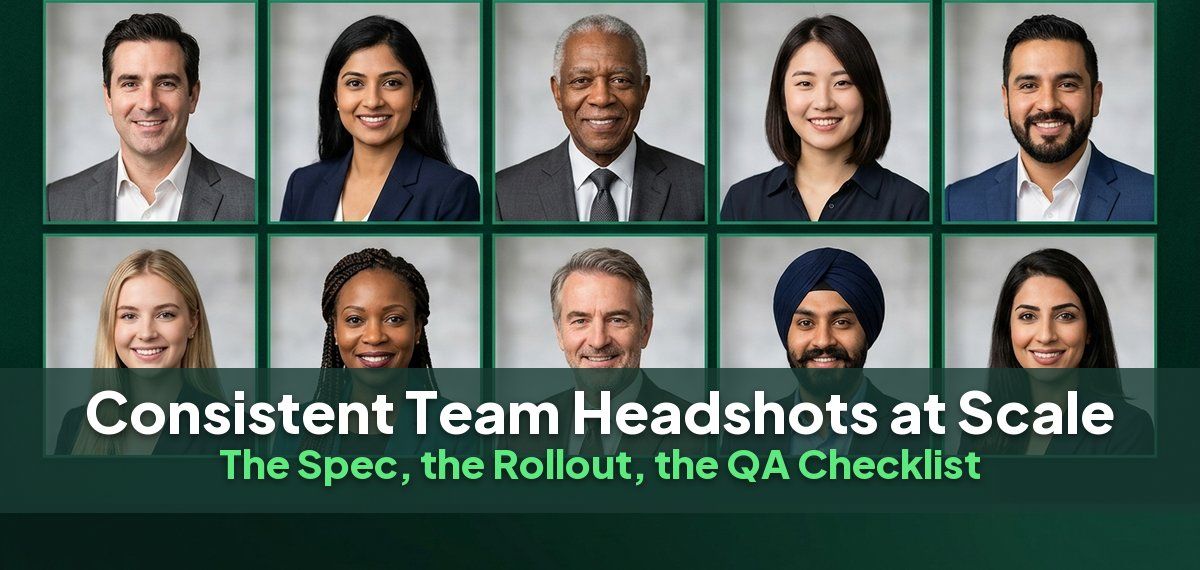
Inconsistent team headshots are not a photography problem. They are a specification problem, and they happen because nobody wrote the spec down before the first person sat for a photograph.
You can tell at a glance on any company's about page: five people shot against gray, three against white, one outdoors, two smiling with teeth and the rest not, four cropped at the chest and one at the waist, and a joiner from last month photographed on their phone. Nothing in that list is a failure of skill. Every one of them is a decision nobody made in advance.
Here is why it matters, and then the spec, the sequence and the checklist.
Why consistency matters more than most teams realize
People read a surprising amount into a team page. In a glance they judge how professional the company is, how well the team works together, and how seriously it takes the details.
Inconsistency does not have to be glaring to send the wrong signal. Uneven lighting makes some people look careless. Different crops make others look disconnected. Mismatched backgrounds suggest a team that was assembled rather than built, and a selfie among studio portraits tells visitors the page was an afterthought. In law, finance, consulting or enterprise sales, that impression costs trust.
The same photographs travel well beyond the website:
- In sales, prospects check LinkedIn profiles and the leadership page before the first call, and a
cohesive set reassures them they are dealing with a serious team.
- In recruiting, candidates read consistency as a sign of an organized, intentional culture.
- For partners and investors, matching headshots across decks, bios and profiles signal a mature
brand.
The spec: eleven decisions, made once, written down
Decide these before anybody is photographed, and put them in a one-page document that goes to every person and every photographer.
| Decision | What to specify | Common default |
|---|---|---|
| Background | one color or environment, named exactly | a single neutral gray or white |
| Crop | where the frame cuts | mid-chest, head centered in the upper third |
| Aspect ratio | one only | 1:1 square, which most platforms want |
| Resolution | minimum pixel dimensions | 1024 x 1024 or higher, so it survives print |
| Orientation | which way the subject faces | square to camera, or all the same angle |
| Expression | one instruction, in words | closed-mouth smile, or open smile, but not "whatever you like" |
| Attire | a rule, not a suggestion | business or business casual, no logos, no busy patterns |
| Lighting | direction and quality | soft, from the front, no hard shadow on the background |
| Color treatment | one profile | neutral, no filters, no black and white for some people only |
| File naming | one pattern | lastname-firstname-2026.jpg |
| Retention and reuse | who owns it and where it may appear | stated in writing before the shoot |
Two of these cause almost all real-world inconsistency and both look trivial: expression and crop. "Smile naturally" produces eleven different faces. "A closed-mouth smile, eyes to camera" produces one.
The rollout sequence
The order matters more than the method. Whether you hire a photographer, run a photo day or use an AI tool, the sequence is the same.
1. Write the spec. One page, eleven rows, the table above filled in. Get it approved by whoever will complain later, which is usually brand or communications.
2. Shoot a pilot of five. Five people, deliberately varied: different skin tones, someone who wears glasses, someone with a beard, someone tall, someone who hates being photographed. Five is enough to find the problems and small enough to redo.
3. Review the pilot against the spec, row by row. Not "do these look nice". Does each one match each row. This is where you discover that the background reads warmer on darker skin tones, or that your crop cuts off a wheelchair headrest, and you fix the spec rather than the people.
4. Lock the spec and communicate it. Send the one-pager to everybody, with two example images and a date. Include what to wear, what not to wear, and what happens if they miss the window.
5. Run the main batch. In waves if the team is large. Keep the waves short: the longer the program runs the more the spec drifts.
6. QA before publishing anything. The checklist is below. Do it on the whole set at once, not per person, because inconsistency is only visible in aggregate.
7. Publish everything on the same day. A page where half the photographs are new looks worse than one where none of them are.
8. Write down the joiner process. This is the step everyone skips and it is the one that undoes the work. Six months of new starters photographed ad hoc and the set is mixed again.
The QA checklist
Put the whole set in a grid, at thumbnail size, and check these in order. Thumbnail size is not a shortcut; it is how the set will actually be seen.
- Do all the backgrounds read as the same color, side by side, across every skin tone?
- Is the head the same size in every frame?
- Is the crop line in the same place on every frame?
- Is everyone the same aspect ratio?
- Is the lighting coming from the same direction in every image?
- Are the expressions in the same family? Not identical, but not half smiling and half not.
- Does anything break the attire rule? Logos, a single person in a t-shirt, one loud pattern.
- Is anyone noticeably warmer or cooler in color than the rest?
- Do glasses show a reflection in any frame?
- Is every file at or above the minimum resolution?
- Is every file named to the pattern?
- Does anyone appear twice, or with an old photograph still live somewhere?
Any question answered no is a reshoot for that person, not an edit to the whole set.
Running it for 200 people
Three things change at scale and none of them is the photography.
Scheduling is the bottleneck. A photo day for 200 people across time zones is a multi-week program with a completion rate well under 100%, and the people who miss it are disproportionately the remote and the senior. Whatever route you take, plan for the stragglers first.
The spec has to survive people who did not read it. Assume 20% will turn up in the wrong thing. Have a fallback: a jacket on site, or a tool that lets you regenerate.
The set needs an owner after launch. One named person, a quarterly check, and a documented joiner path. Without it you are doing this again in two years.
Four ways to get it done
There is no single right method. The best one depends on team size, where people are, and where the photographs will be used.
A traditional studio. Still the standard for C-suite portraits, board pages and large print. Each person books their own session, which makes consistency across a team hard unless everyone uses the same studio and the same spec.
An on-site team shoot. The photographer brings a portable studio to your office, and volume pricing makes it economical for larger groups. It solves one location on one day: anyone remote, traveling or off sick is left out, and turnaround for the edited set can take weeks.
A fly-in photographer program. One photographer visits each office with the same kit and the same retouching. It is the most consistent way to use real photography across several cities, and the most expensive and slowest to organize.
An AI headshot tool. Background, lighting, crop and color become settings rather than things that happen in a room, so they come out the same for everyone. Each person takes part from wherever they are, whenever suits them.
The new-hire problem
Every single-day approach has the same flaw: new people keep joining. Six months after a photo day, the team page is full of placeholder silhouettes and old photographs again, and the set is no longer consistent.
The fix is a joiner process that does not depend on a date or a place. With an AI tool, a new hire uploads their selfies and gets headshots that match the existing set, in their first week, with no scheduling. With photography, it means an agreed studio, the written spec, and a budget line for every new starter.
When a photographer is still the right call
For some roles, a human session is worth it. Most large teams do best with a hybrid, unified by the same written spec.
| Who | Recommended approach |
|---|---|
| The C-suite and executive leadership | a professional photographer |
| Press kits and large print | a professional photographer |
| Teams with remote members | AI, or a hybrid |
| Ongoing new-hire onboarding | AI |
| Internal directories, chat avatars, LinkedIn refreshes | AI |
The spec is what makes a hybrid look like one team: the executives photographed in a studio and the rest of the company generated by AI can still share the same background, crop and expression.
Where AI changes the arithmetic
An AI tool makes the spec enforceable rather than requested, because background, crop, lighting and color are parameters instead of things that happen in a room. Everyone submits selfies on their own schedule, which removes the scheduling bottleneck entirely, and a person who missed the window is not a reshoot, they are a re-run.
Headshots by Magic Studio for teams is built for this. You create a team, invite your colleagues, and each person uploads their own selfies, or an admin can run the process on their behalf. It costs $62 a person for a team of ten, with 100 headshots each across 5 looks, 10% off at 20 people and 20% off at 100. Photos are deleted automatically after 30 days, which keeps privacy teams comfortable.
It does not solve everything. A tool cannot tell somebody their collar is crooked, and it cannot make a judgement call about whether a particular person's photograph works. The QA checklist above applies exactly the same either way, and it is still the step that determines whether the set looks like one company.