
Your LinkedIn Photo: What the Data Actually Says Works
I dug into the data on the perfect LinkedIn photo: framing, expression, wardrobe by industry, and why ChatGPT can't make one that looks like you.

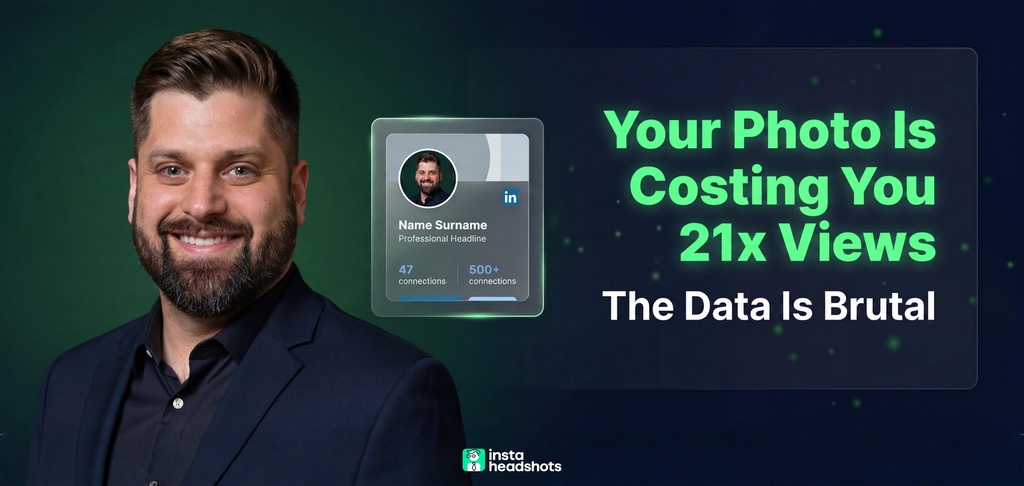
I spent a weekend testing whether ChatGPT could make my LinkedIn photo. It gave me a polished headshot of a guy who was not me.
That sent me down a rabbit hole, and the data surprised me. It turns out most advice about LinkedIn photos is either too vague to act on or just wrong. "Wear your most formal outfit and smile" sounds safe. The numbers say it can actually hurt you in the wrong industry.
If you're job hunting or refreshing your profile, you don't have time to guess. You want a photo that reads as credible without burning a budget you don't have.
So I pulled the research, segmented it by what matters, and built a checklist you can actually use today. Here's what works.
What makes a good LinkedIn photo? The quick checklist
A good LinkedIn photo is a tightly framed, well-lit, head-and-shoulders shot of the real you, with a genuine expression and industry-appropriate clothing. That's the whole thing in one sentence.
Here are the specs that matter, pulled straight from LinkedIn's own guidelines:
| Element | What works |
|---|---|
| Framing | Head and shoulders, face fills 60-70% of frame |
| Image size | 800x800px or larger (400x400 minimum) |
| Format | PNG or JPG, under 8MB |
| Face direction | Looking straight at the camera |
| Expression | Genuine smile with engaged eyes |
| Background | Plain and neutral (white, gray, navy) |
| Wardrobe | Solid colors, calibrated to your industry |
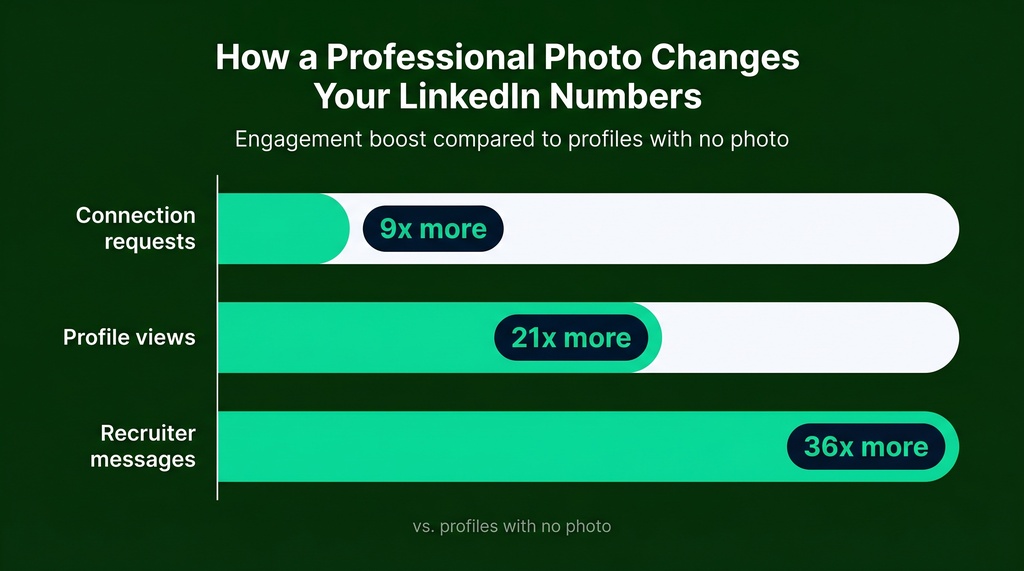
Why bother? Because the photo is doing more work than your headline. Profiles with quality photos get 21x more views, 9x more connection requests, and up to 36x more messages.
And here's the part that surprised me: recruiters spend 19% more time on profiles with a quality image. A missing or weak photo isn't neutral. It actively costs you.
How fast are people judging your photo?
Fast. Faster than you can read this sentence.
Princeton researchers Willis and Todorov found that people form judgments about trustworthiness and competence from a face in just 100 milliseconds. That's a tenth of a second. Your photo gets vetted before anyone reads a word of your profile.
Let me nerd out on this for a second. The same study found that more exposure time didn't make people kinder. Longer looks made judgments more negative. The snap call is actually the forgiving one.
So the photo isn't decoration. It's the first data point about whether you're worth a second look.
How professional should a LinkedIn photo be?
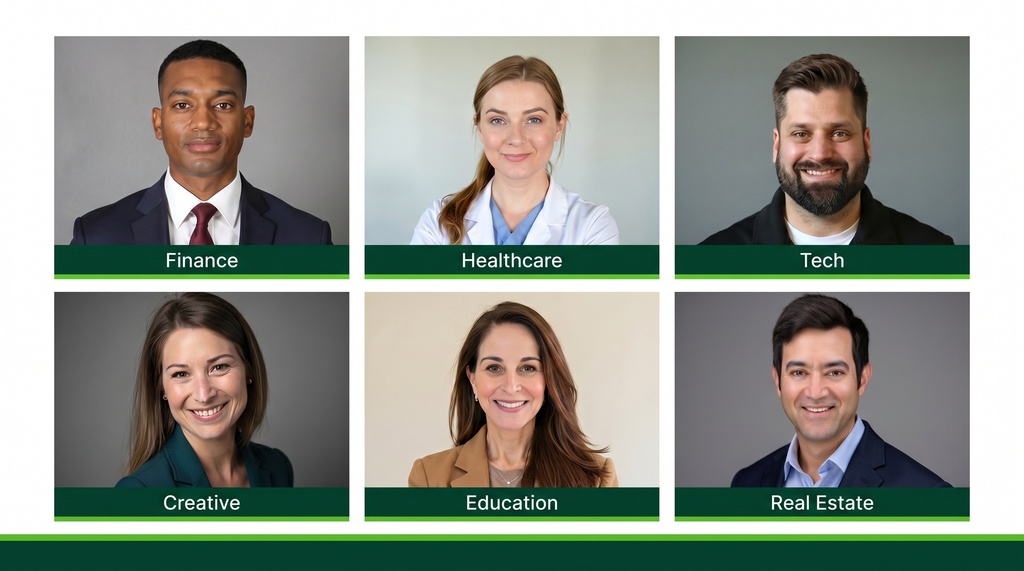
As professional as your industry expects, and no more. Professionalism is contextual, not absolute. This is the part most people get wrong.
The conventional wisdom says formal always equals professional. The data says over-formalizing in a casual industry reads as out-of-touch, not polished. A software engineer in a dark suit and tie applying to startups can signal poor cultural fit before the resume loads.
The reverse is also true. A finance analyst in a casual polo can look like they don't get the room. In a field where 87% of recruiters treat photo professionalism as essential, that's a real cost.
Think of it like pacing a race. You don't run every mile at the same speed. You calibrate to the course. Here's the course map by industry:
| Industry | Wardrobe | Formality |
|---|---|---|
| Finance / Law / Consulting | Dark suit, light shirt, tie or structured jacket | High formal |
| Healthcare | White coat or muted business attire | Moderate-high |
| Tech / Startups | Blazer over crew neck, fitted collared shirt | Moderate casual |
| Creative / Media | Bold solids, interesting textures, statement pieces | Low formal, high personality |
| Education / Nonprofit | Business casual in warm tones | Moderate casual |
| Real Estate | Blazer with open collar, jewel tones | Moderate formal |
The common mistake I keep seeing: people dress for the job they have, not the role they want. If you're aiming up, dress for that level, calibrated to where you're headed.
What expression reads as confident, not stiff?
A genuine smile that reaches your eyes. The research here is actually fascinating.
A 2018 study found that happy faces were rated most trustworthy, then neutral, with angry faces last. The relationship was clean and linear. More warmth, more trust.
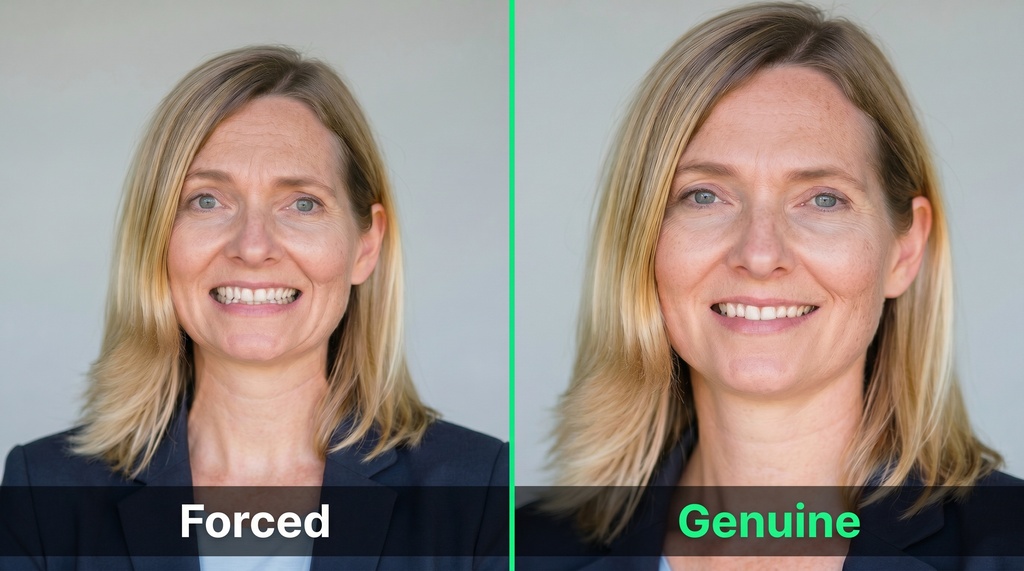
But not any smile. A Duchenne smile, the kind that crinkles the eyes, gives a measurable +1.35 likability boost in photo ratings. A forced smile does the opposite. It reads as unsure.
There's a posing trick that helps here too. Headshot photographer Peter Hurley coined the "squinch," which means slightly narrowing your lower eyelids while keeping the upper lids steady. It kills the deer-in-the-headlights look and projects calm confidence.
Two quick rules I'd follow:
- Smile from the eyes, not just the mouth. A slight, warm smile beats a big forced grin for most LinkedIn profiles.
- Look at the lens, not at yourself on screen. Direct eye contact builds the sense of personal connection.
What should you avoid? The mistakes that quietly cost you
I was skeptical that small stuff mattered until I looked at the numbers. Recruiters reject over things you'd never expect.
In one survey, 71% of recruiters said they've rejected a qualified candidate based on the profile photo. Here's what trips them up, ranked by how often they flag it:
| Red flag | Recruiters who flag it |
|---|---|
| Face not fully visible | 75% |
| Low-resolution image | 67% |
| Vacation photo | 49% |
| Unauthentic or misleading image | 38% |
| Company photo, not personal | 28% |
| Overly casual photo | 23% |
| No smile | 15% |
A few specific ones worth calling out:
- Selfies. Selfies are rated 76% less competent than professional headshots. Phone lenses also distort your face, enlarging whatever's closest to the camera.
- Cropped group photos. The ghost shoulder next to you is obvious. It screams "this was the only photo I had."
- Sunglasses and hats. They hide the eyes, which are the main channel for trust.
- Busy patterns. Stripes and plaids can create a moiré effect that makes clothing seem to vibrate on screen.
The pattern across all of these: anything that hides your face or misrepresents you breaks the photo's one job.
Can ChatGPT make a LinkedIn photo?
Short answer: ChatGPT can make a polished image, but it probably won't look like you. And that defeats the purpose.
Here's why. OpenAI's deepfake prevention rules push ChatGPT and DALL-E to actively change facial features rather than preserve them. One user put it bluntly: it could copy your exact face, but it changes the picture on purpose because of deepfake risk.
The deeper issue is architecture. General text-to-image models are built to make a plausible image, not your image. They generate "a professional headshot of someone" instead of "a professional headshot of you." Without training on your photos, the likeness drifts toward the model's average face.
The result is the polished imposter. Smooth skin, good lighting, professional outfit, but the jaw is wrong, the eyes changed color, and the hair isn't yours. On a platform built on real identity and in-person meetings, a photo that doesn't match you is worse than a decent selfie. It quietly signals dishonesty, even when you didn't mean it.
If you go the AI route, watch for these red flags: over-smoothed skin, eerily symmetrical eyes, and erased freckles or glasses.
AI headshots vs. photographer vs. selfie: which should you use?
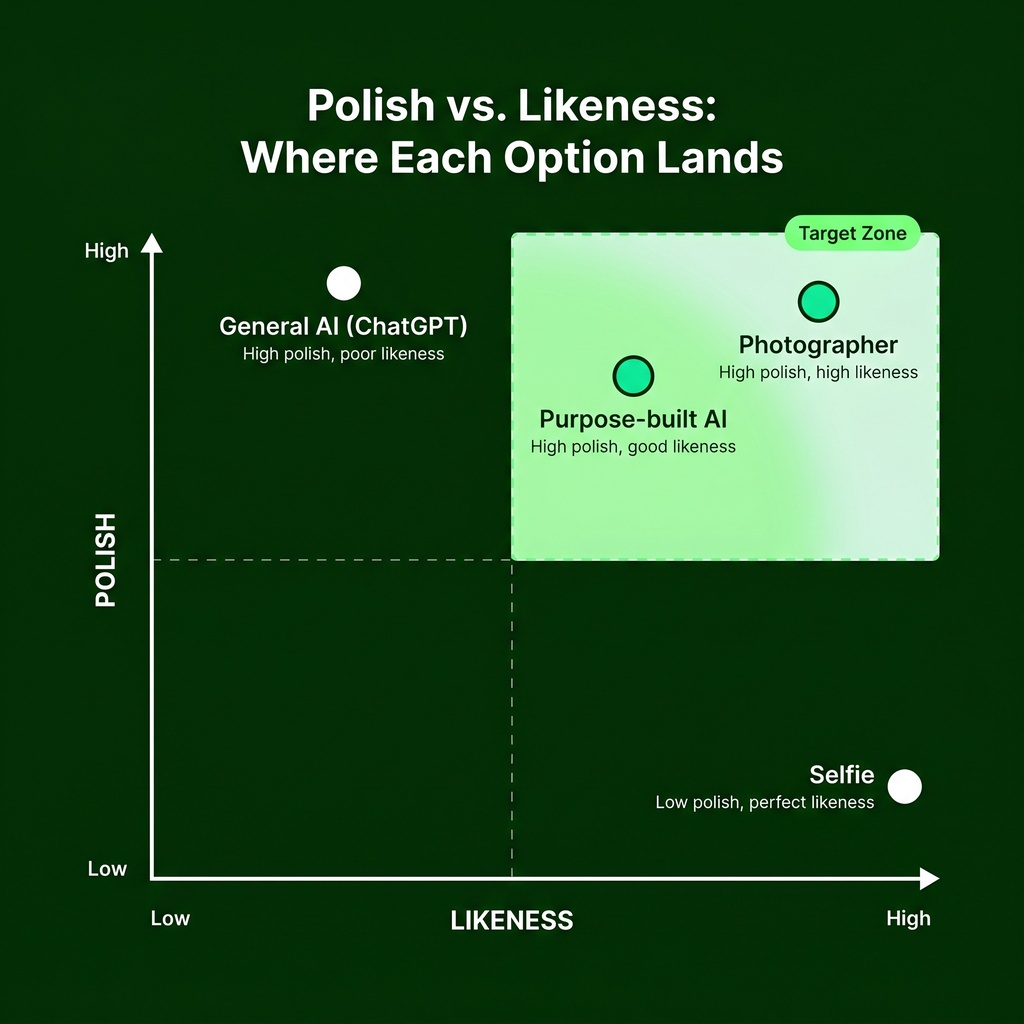
When I broke this down by what each option actually delivers, two axes emerged: how polished it looks, and how much it looks like you. Those are independent.
ChatGPT scores high on polish, low on identity. A selfie scores high on identity, low on polish. Only two options score well on both.
| Option | Looks like you | Polish | Cost | Speed |
|---|---|---|---|---|
| Photographer | Perfect | High | $150-$300+ | Days |
| Purpose-built AI | Good | High | $29-$75 | Minutes |
| General AI (ChatGPT) | Poor | Surface only | Free | Minutes |
| Selfie | Perfect | Low | Free | Instant |
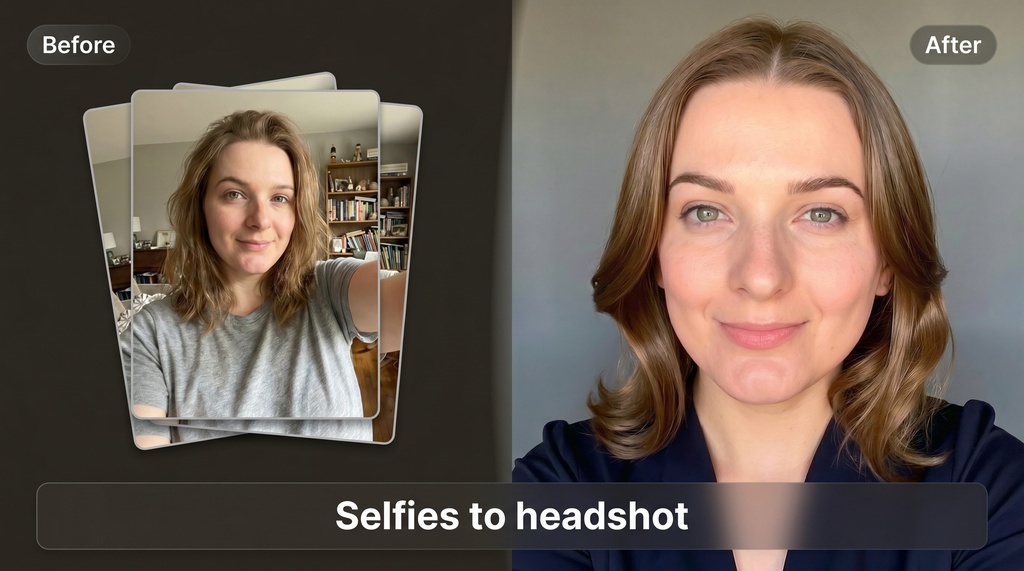
Purpose-built AI tools work differently from ChatGPT. You upload around 10 selfies, and the tool trains a personalized model on your face before generating new photos. That training step is the whole difference. It's why likeness holds up.
One option here is Headshots by Magic Studio, which makes 50 headshots across 5 looks in about 15 minutes, with packs from $49 to $69 that you choose after seeing them. The trade-off is honest: AI can't put you in a branded uniform, in front of a company backdrop, or holding a physical award. For those, you still want a photographer.
How to choose: a simple decision flow
Here's how I'd decide, based on the research:
- Need branded gear, a company backdrop, or props? Hire a photographer.
- On a budget and job hunting fast? Use a purpose-built AI tool that trains on your photos.
- Have a good camera and decent light? A well-shot photo by a friend works fine.
- Tempted to use ChatGPT? Don't, unless you verify the output genuinely looks like you.
Whatever you pick, the method matters less than whether the final image hits the basics: face visible, good light, neutral background, genuine expression, sharp resolution.
The bottom line
A great LinkedIn photo isn't about being maximally formal. It's about looking like an approachable, credible version of the real you.
Frame it tight so your face fills 60-70% of the shot. Match your wardrobe to your industry, not to some generic idea of "professional." Smile with your eyes. Use a clean background.
And remember the one rule that ties it all together: the photo has to be you. ChatGPT will hand you a polished stranger. A decent selfie or a purpose-built AI tool that learns your face will serve you better.
You don't run a marathon without training data. Don't pick your LinkedIn photo without it either. Now you've got the checklist. Go fix yours.