
What Makes a Headshot 'Professional'? A Clear Checklist and the Right Way to Choose
Professional headshots read as credible because they're intentional, not expensive. Here's a testable checklist plus how to pick studio, DIY, or AI by time and cost.
I recently watched a friend update his LinkedIn after a promotion. He used a cropped wedding photo. You could still see someone's shoulder next to him.
He's a sharp operator. But his photo said the opposite. So I went deep on what actually makes a headshot read as "professional." The answer surprised me. It has almost nothing to do with price.
Most people freeze on the wrong question. They ask "photographer or not?" The real question is simpler. How controlled is your light, how many variations do you need, and how fast do you need them?
Here's what I found. A clear checklist for quality, and an honest framework for choosing your path.
What Actually Makes a Headshot Professional?
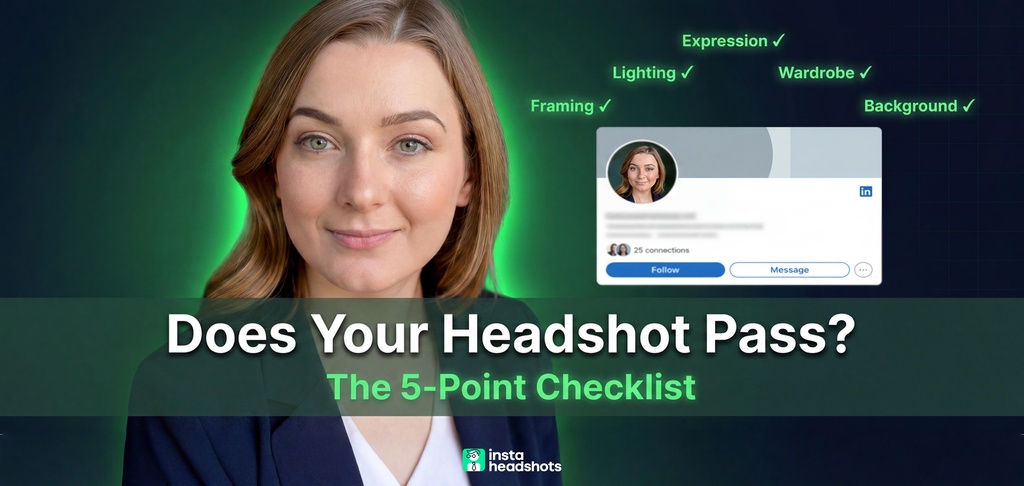
A headshot reads professional when five things are deliberately controlled: framing, lighting, expression, wardrobe, and background. That's it. Not the camera. Not the price tag.
This matters because the stakes are real. Profiles with professional photos get 14x more views and far more messages. And 86% of recruiters screen profiles in 30 seconds or less.
People form trust judgments in about 100 milliseconds. That's faster than you can read this sentence. Your photo is doing the talking before anyone reads a word.
Here is the testable checklist. Run your current photo through it.
| Element | Professional | Amateur | Quick Fix |
|---|---|---|---|
| Framing | Face fills 60-70% of frame | Tiny face, too much body | Crop to head and mid-chest |
| Lighting | Soft, directional, catchlights in eyes | Harsh or flat overhead | Move near a large window |
| Expression | Genuine smile, engaged eyes | Frozen stare or forced grin | Relax jaw, lean slightly forward |
| Wardrobe | Solid colors, one level above daily norm | Loud patterns or logos | Wear a structured blazer |
| Background | Clean, non-competing | Cluttered home or vacation scene | Stand against a blank wall |
If you want the deeper version of this, I broke down the difference between a headshot, a portrait, and a selfie in a separate piece.
Patterns repeat. Most people just don't notice them. Let me walk through each element so you can score yourself.
The Five Non-Negotiables (And How to Fix Each One)
Framing: Fill the Frame
Your face should fill 60-70% of the frame. The crop runs from just above your head to your mid-chest. Too much headroom reads amateur. So does a full-body shot.
Turn your body 30 to 45 degrees from the camera. Then turn your head back toward the lens. A square-on pose looks like a mugshot. The angle adds dimension.
Lighting: One Soft Source
Lighting is the single biggest tell. The professional standard is one large, soft light at 45 degrees. It creates gentle shadows that add depth.
Look for catchlights: small reflections in both eyes. Dead eyes kill a photo. The fix is free. Stand near a large window with indirect daylight.
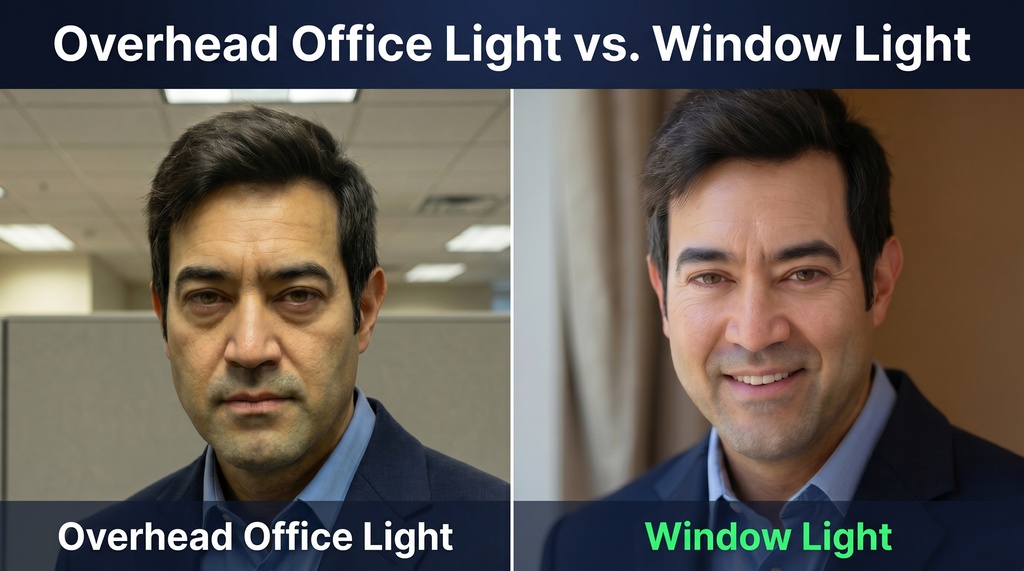
Avoid overhead office lighting at all costs. It makes skin yellow and casts shadows under your eyes and nose. Avoid direct sun too. It makes you squint.
Expression: The Squinch and the Smile
Expression is where most photos win or lose. A genuine smile that reaches your eyes is the gold standard. On LinkedIn, a real smile boosts likability by +1.35.
Photographer Peter Hurley teaches the "squinch": raise your lower eyelids slightly toward the pupil. It kills the deer-in-headlights stare and projects confidence. His rule is blunt: "feels weird, looks good."
What feels unnatural in person often reads as confident on camera. Don't lean back. Lean slightly toward the lens. Drop your front shoulder to lengthen your neck.
Wardrobe: One Level Up
Dress one level above your daily norm. Formal dress raises perceived competence by +0.94. Pick solid colors: navy, gray, teal, or burgundy.
Skip stripes, checks, and logos. They distract. A structured blazer works even over a casual top. Get your haircut 3-5 days before so it settles naturally.
Background: Clean and Calm
The background should not compete with your face. Solid backgrounds raise trust ratings by 41% over busy ones. White, gray, navy, and teal all work.
Make sure your hair and clothing contrast with the wall. Dark hair on a dark wall blends together. You disappear.

What counts as professional is also context-dependent. A black blazer and gray wall signals authority in law but feels cold in wellness. I cover this fit problem in our good vs. bad headshots guide.
The Deal-Breakers That Get You Rejected
Some mistakes are quiet killers. They don't look broken. They just cost you opportunities. Here are the top offenders from my research, ranked.
- Poor lighting. Harsh, flat, or yellow. The most common amateur tell.
- Over-editing. Plastic skin and altered features. "If you can tell there's been editing, it's too far."
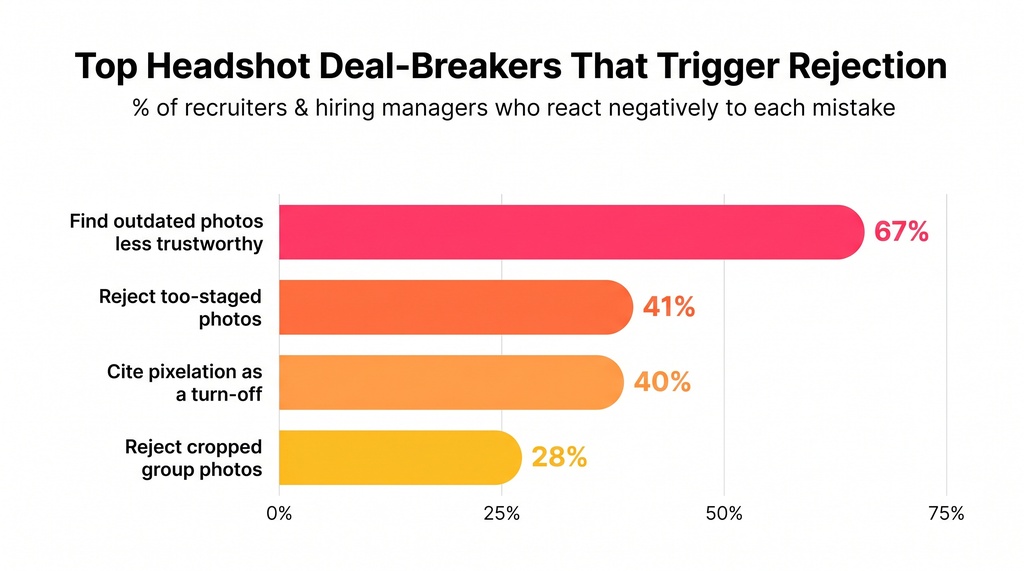
- Cropped group photos. 28% of recruiters treat this as a rejection factor. That floating shoulder is a credibility killer.
- Outdated photos. 67% of hiring managers find old photos less trustworthy.
- Distracting backgrounds. Car interiors and vacation scenes. Pixelation turns off 39.9% of recruiters.
Note the retouching trap. Normal editing removes temporary blemishes, stray hairs, and under-eye bags. Over-editing blurs skin texture and erases moles and freckles.
Keep some character. High saturation actually reduces perceived competence. Authenticity now beats perfection. That's the biggest trend shift I found for 2026.
How to Choose Your Path: Time, Cost, and Control
Now the real decision. Once you know the five criteria, multiple paths can hit them. Don't confuse motion with progress. Pick the path that matches your constraints.
Three variables govern this choice:
- Control. How locked-down is your lighting and background?
- Variations. How many usable looks do you need across LinkedIn, your bio, and a press kit?
- Speed. Do you need it today or in a few weeks?
Here's the honest trade-off across all four routes.
| Path | Cost | Time to Result | Variations | Best For |
|---|---|---|---|---|
| Studio photographer | $250-$1,200 | 1-3 weeks | 1-5 finals | Executives, premium needs |
| Corporate headshot day | $25-$75/person | 1-3 weeks | 1-2 per person | On-site teams of 10+ |
| DIY phone | $0-$30 | Same day | As many as you shoot | One platform, tight budget |
| AI headshots | $8-$69 | 15-60 min | 40-200+ | Speed, variety, camera-shy |
Let me break down each one with real numbers.
Studio Photographers
The average US headshot costs $250 for a single look and around $475 for two looks. Major cities run higher. Elite NYC photographers hit $2,000 or more.
You usually get 1 to 3 retouched finals. Turnaround is 1 to 3 weeks. The control is excellent. The cost and wait are the trade-offs.
Worth noting: my own pricing analysis of 700+ listings found the average starting cost was $283, and 74% of sessions delivered three or fewer final images. You pay a premium for a small set.
Corporate Headshot Days
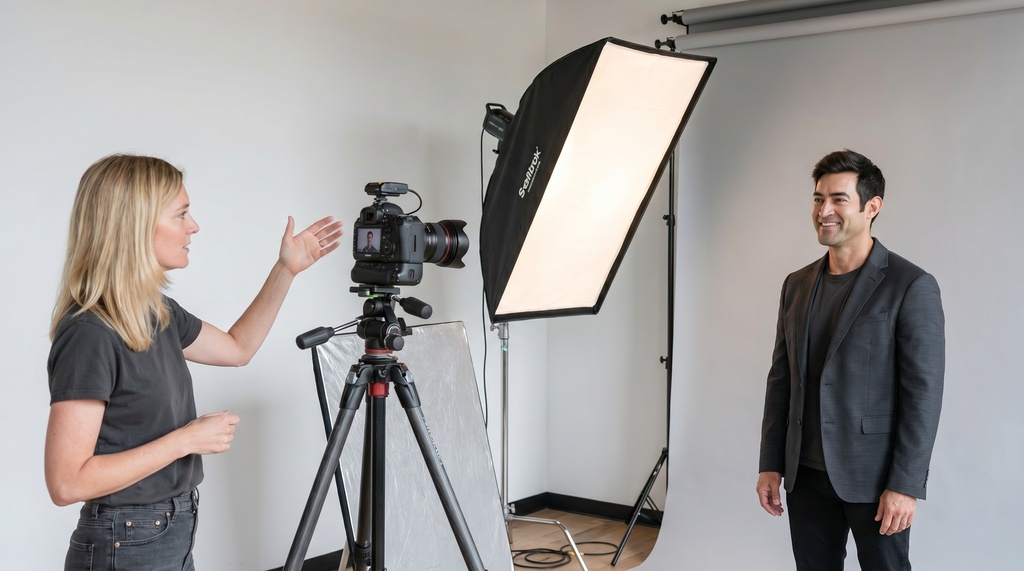
For on-site teams, a photographer comes to you. Typical rates run $25 to $75 per person, plus a setup fee. Each person needs about 5 to 10 minutes. Finals take 1 to 3 weeks.
This works when everyone is in one building. It falls apart for distributed teams. Coordinating photographers across cities means inconsistent lighting, backgrounds, and crops. The result is visual mess.
DIY Phone
DIY is real but constrained. Use the rear camera, not the selfie lens. The front camera is wide-angle and distorts your face.
Use a 2x or 3x telephoto lens if you have one. It mimics the flattering 85mm focal length pros prefer. Skip Portrait Mode. The software often botches the edges around hair and glasses.
Then stand by a window. DIY takes dozens of takes and usually still needs editing. But for a single LinkedIn update on a budget, it works.
AI Headshots
AI matured fast. It's now a genuine option, not a novelty. AI headshots cost $8 to $69 and deliver 30 to 200+ images in minutes.
Here's the surprising part. In blind tests, 76.5% of recruiters preferred AI headshots over traditional photos. The quality gap has closed.
There is one catch worth naming honestly. When told a photo is AI-generated, 66% react negatively. The lesson is simple. If the result genuinely looks like you, it performs. The issue is never the technology. It's accuracy of likeness.
Where AI Fits Best (And Where It Doesn't)
AI shines on the three variables that matter most: speed, variety, and zero awkwardness. If you hate posing for a stranger, this is your route.
Tools like Headshots by Magic Studio build a model from 10 selfies. You get 50 headshots across 5 looks in about 15 minutes. Packs run $49 to $69, chosen after you see the results.
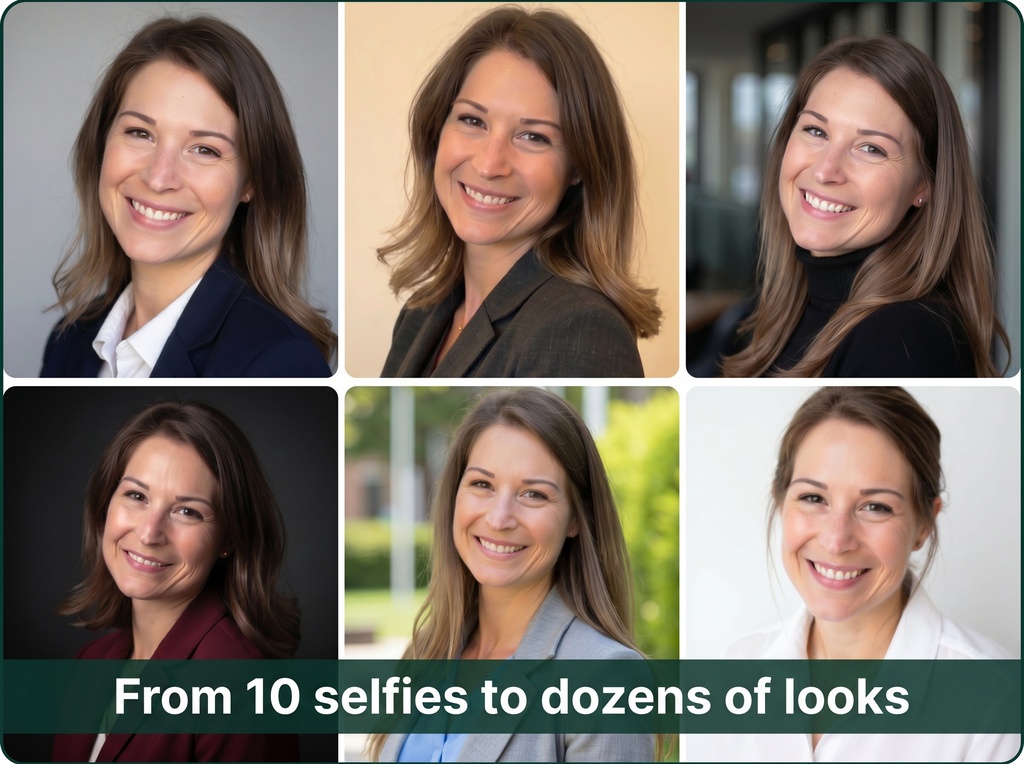
The variety solves a real problem. Most professionals need two crops from one source: a 1:1 square for LinkedIn and a 4:5 portrait for bios and press kits. More looks means more flexibility.
This is also the cleanest fix for distributed teams. One company with 200 people across 12 cities can't get consistent studio results. Everyone uploading selfies produces uniform style at a predictable cost. I dug into the team scenario separately.
Where does AI fall short? A Fortune 500 CEO who needs a custom-directed shoot with a known photographer may still want the studio. Optionality is power. Match the tool to the stakes.
Here's my scenario-based read:
| Your Situation | My Recommendation | Why |
|---|---|---|
| Active job seeker | AI generator | Many variations, fast, budget-friendly |
| C-suite executive | Studio photographer | Premium quality and custom direction |
| Camera-shy professional | AI generator | No posing pressure, private process |
| Urgent deadline today | AI generator | Only same-day option |
| Distributed team | AI corporate plan | Consistency across cities |
| Updating LinkedIn only | DIY phone + window | Lowest bar, same day |
The Bottom Line
A headshot reads professional because it's intentional, not expensive. Clean light. Correct framing. A believable expression. Wardrobe and background that match the job you want.
In markets and careers, survival is underrated. An outdated cropped photo quietly works against you every day it stays up. The fix doesn't require a full day or a full paycheck.
Run your current photo through the five-element checklist. If it fails, pick your path based on control, variations, and speed. Speed matters, but direction matters more.
Then update it today. Complex problems usually have simple governing variables. This one does too.