Best AI Headshot Generator for LinkedIn in 2026: What a LinkedIn Photo Needs and Which Tools Deliver It
The best AI headshot generator for LinkedIn makes a square photo where your face reads at thumbnail size. 8 tools compared on price, headshots, speed and refunds.

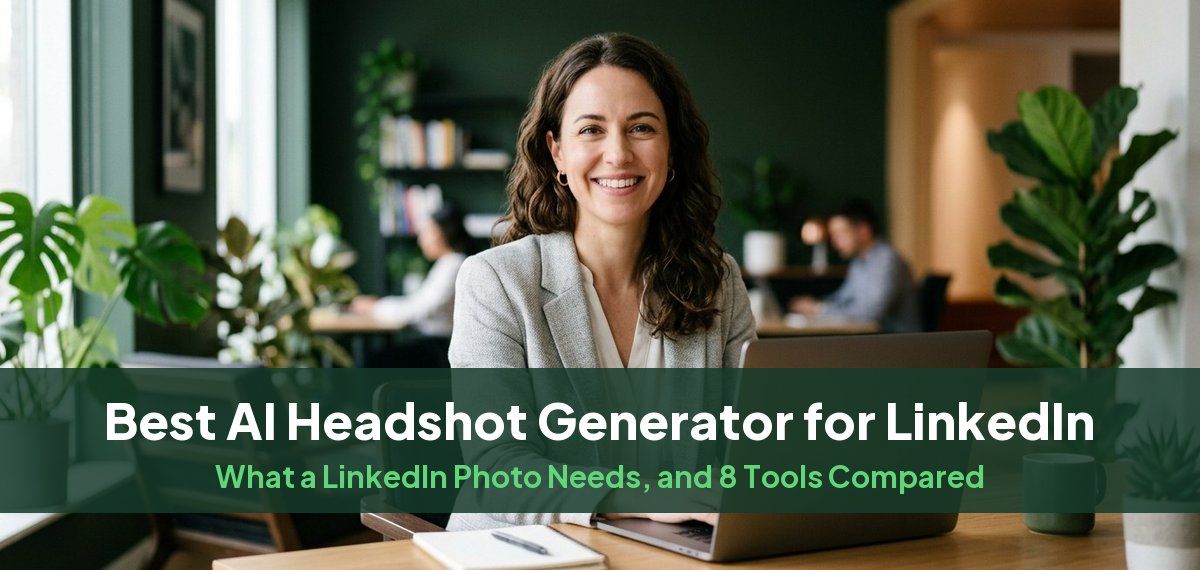
The best AI headshot generator for LinkedIn is the one that gives you a photo that looks like you at thumbnail size, in a square crop, with a plain or softly blurred background. Headshots by Magic Studio's LinkedIn headshots does that well for most people: 50 headshots across 5 looks in about 15 minutes, and you see them before you pay. HeadshotPro is a good choice if you want a built-in LinkedIn crop tool, BetterPic if you want 4K files, and Secta Labs if you want the most images for the money.
Below: what LinkedIn needs from a photo, the tools compared on what they publish, and how to pick the right shot from your set. Every figure comes from each tool's own website, checked on October 13, 2026.
What a LinkedIn photo has to be
LinkedIn's help page on profile photos sets the file rules:
| Spec | LinkedIn's requirement |
|---|---|
| Format | JPG or PNG |
| Size | 400 x 400 to 7680 x 4320 pixels |
| File size | up to 8 MB |
| Display | cropped to a circle |
Any AI headshot meets those rules. What decides whether the photo works is how it reads small. Your photo appears as a small circle next to your name in search results, comments and messages, so three things matter more than resolution:
- A face that fills the frame. Crop from about the chest up, so your face takes most of the circle. A full-body or waist-up shot turns into a dot.
- A background that stays out of the way. A solid gray, navy or soft blue, or a softly blurred office, keeps the eye on your face. Our guide to the best background color for headshots covers which suits your field.
- A likeness people recognize. Recruiters and colleagues will meet you on a video call. A headshot that flatters you into someone else does more harm than an ordinary one.
For the photo itself, our LinkedIn profile picture guide covers what the research says works, and LinkedIn background photo size covers the banner behind it.
AI headshot generators for LinkedIn compared
| Tool | Cheapest one-time pack | Headshots | Turnaround | LinkedIn-specific | If the result is wrong |
|---|---|---|---|---|---|
| Headshots by Magic Studio | $59 for all 50 ($49 starter pack of 3) | 50, 5 looks | about 15 minutes | LinkedIn headshots page | you see them before you pay |
| HeadshotPro | $29 | 30 | about 2 hours | LinkedIn Photo Optimizer, 1024 x 1024 square export | money back if they do not look like you |
| BetterPic | $35 | 20, 1 style | 2 hours | 1:1 crop on every image, free LinkedIn picture analyzer | 7-day refund, none after download |
| Secta Labs | $49 | 200+ | under 1 hour | a LinkedIn style pack | 30-day money-back guarantee |
| Aragon AI | $35 | 40, 1 attire, 1 background | 45 minutes | LinkedIn headshots page | refund within 14 days if not downloaded |
| The Multiverse AI | $29.99 | 100+, plus 20 custom | 10 to 15 minutes | LinkedIn headshots page | non-refundable once generated |
| ProPhotos | $25 on its LinkedIn page | 40 | 90 minutes | LinkedIn headshots page | could not find |
| Dreamwave | $35 | 40 | could not find | LinkedIn headshots page, from 1 photo | final sale, no refunds |
Prices are the regular cheapest one-time pack shown on each site. Aragon was showing a limited-time discount when we checked, and Try It On AI is left out of the table because we could not find its package sizes without an account.
Each tool, for LinkedIn
Headshots by Magic Studio
Headshots by Magic Studio turns about ten of your own photos into 50 headshots across 5 looks, ready in about 15 minutes. You see them before paying, and packs start at $49: a starter pack of 3, all 50 for $59, or all 50 in print-ready high resolution for $69. Each shoot trains its own model on your photos, which is what keeps the results looking like you.
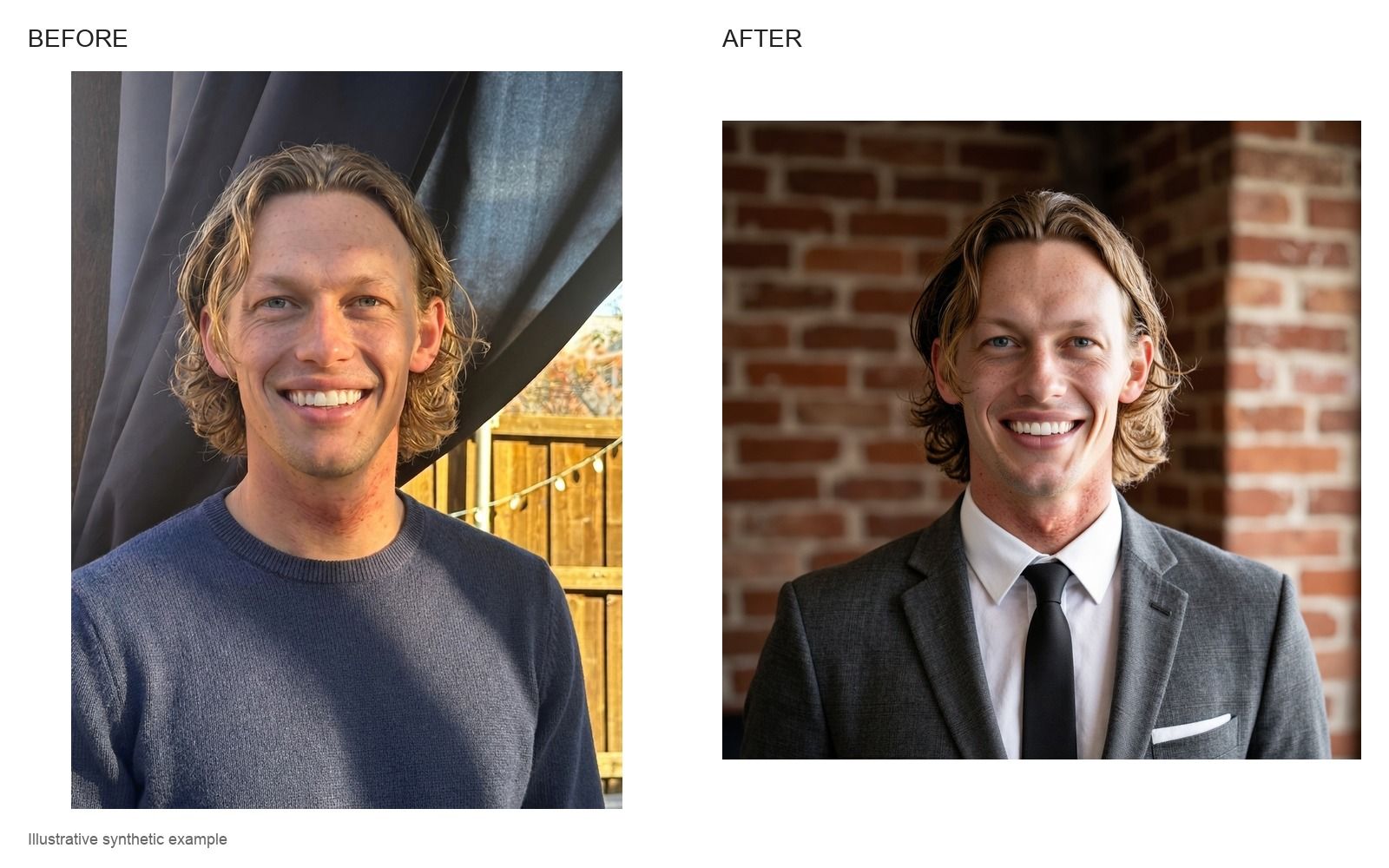
Best for: most people updating a LinkedIn photo, especially if you want to check the likeness before paying anything.
HeadshotPro
HeadshotPro's help centre describes a LinkedIn Photo Optimizer that previews your photo as a circle and exports square PNGs at 1024 x 1024 pixels. Its cheapest pack is $29 for 30 headshots in about two hours, and faster turnaround comes with the higher tiers.
Best for: people who want the circle preview built in. Our Magic Studio vs HeadshotPro comparison goes further.
BetterPic
BetterPic says every output is 4K and comes with LinkedIn's recommended 1:1 crop, and it has a free LinkedIn picture analyzer. Its cheapest pack is $35 for 20 headshots in one style.
Best for: 4K files you can reuse in print. See Magic Studio vs BetterPic.
Secta Labs
Secta offers a LinkedIn style pack and recommends clean backgrounds or subtle office blurs. Its $49 pack gives 200 or more headshots, the most images per dollar here, with a 30-day money-back guarantee.
Best for: the largest number of images to choose from.
Aragon AI, The Multiverse AI, ProPhotos and Dreamwave
Each has a LinkedIn headshots page. Aragon's cheapest pack is 40 headshots in one attire and one background in 45 minutes. The Multiverse AI is fast, at 10 to 15 minutes, and advises a chest-up crop with your face around 60% of the frame. ProPhotos lists its own lower price on its LinkedIn page, and Dreamwave works from a single photo but sells packs as final sale. Our comparisons with Aragon and Dreamwave cover two of them in detail.
How to pick the right shot for LinkedIn
- Shrink it. Look at your favorites at the size of a coin on your phone. The one you still recognize at that size is the one to use.
- Check the circle. Crop to a square with your face centered and a little space above your head, so the circle does not clip your hair or chin.
- Match your field. A darker suit and neutral background reads as finance or law; a lighter background and a warmer smile reads as consulting, tech or healthcare. Headshot poses for every business role has the details.
- Ask someone who knows you. You are used to your mirrored face. A colleague will tell you which one looks like you.
If you would rather not use AI at all, our guide to taking a good LinkedIn photo covers a phone and a window. For the free options, see the best free AI headshot generators.
Common questions
What is the best AI headshot generator for LinkedIn?
For most people, Headshots by Magic Studio: 50 headshots across 5 looks in about 15 minutes, and you see them before you pay. HeadshotPro suits people who want a built-in circle preview, BetterPic people who want 4K files, and Secta Labs people who want the most images.
What size should an AI headshot be for LinkedIn?
LinkedIn accepts JPG or PNG files from 400 x 400 to 7680 x 4320 pixels, up to 8 MB, and shows them as a circle. A square image of at least 1024 x 1024 pixels with your face centered works well.
Are AI headshots allowed on LinkedIn?
Yes, as long as it looks like you. LinkedIn's help page says your profile photo "must reflect your likeness", and allows artistic renderings of yourself. An AI headshot made from your own photos that looks like you meets that; one that changes your face, age or features does not.
Will people be able to tell my LinkedIn photo is AI?
Not if it looks like you. Choose a headshot with natural skin texture and your real hair, glasses and features, and skip any where the eyes, hands or clothing look off.
How long does an AI LinkedIn headshot take?
It depends on the tool: about 15 minutes at Magic Studio, 10 to 15 minutes at The Multiverse AI, under an hour at Secta Labs, and about two hours at HeadshotPro's and BetterPic's cheapest packs. Our guide to how long AI headshots take has the full list.