
Best Background Color for Headshots: By Industry, Skin Tone and Platform
For most jobs the best headshot background is a solid gray, navy or soft blue. Which color and setting suits your industry, skin tone and outfit, plus 10 ideas.

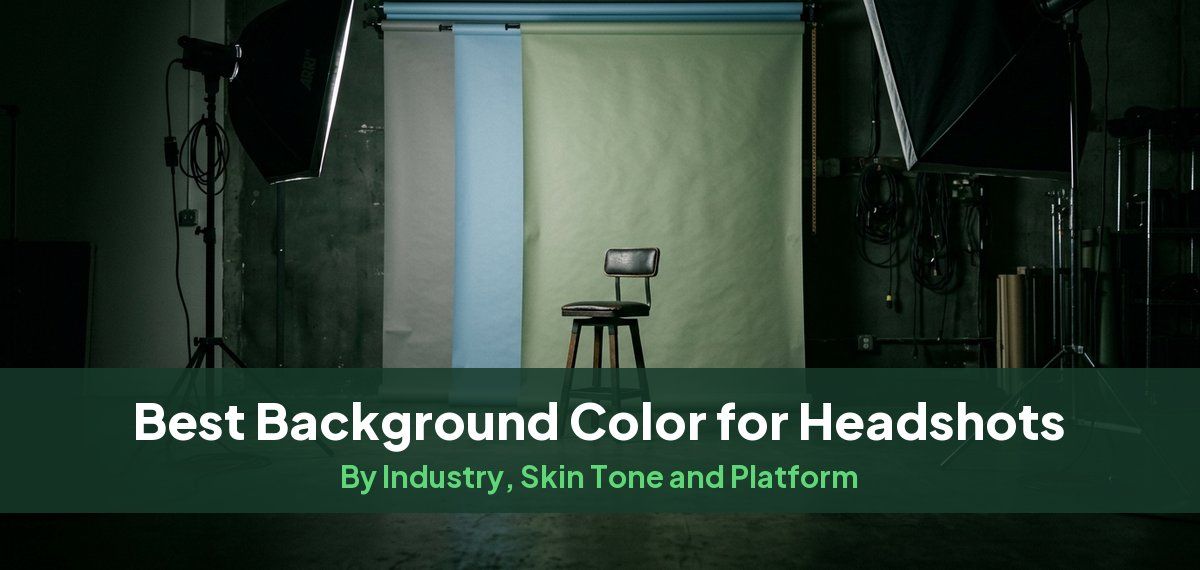
For most professional headshots, the best background is a plain, mid-toned solid: gray, navy or a soft blue. These keep attention on your face, suit almost every skin tone and outfit, and look right on LinkedIn, a company site and a resume. Pick a darker neutral (charcoal, navy) for finance and law, a lighter blue or soft gray for healthcare, and a gradient, office blur or outdoor setting when your field rewards personality, such as tech, real estate or creative work.
Below: a table of backgrounds by industry, what each color signals, how to match the background to your skin tone and clothes, ten background ideas beyond a plain wall, and how to get the background you want without a reshoot.
Headshot background by industry
| Industry | Best backgrounds | What to avoid |
|---|---|---|
| Finance and consulting | Charcoal, navy, deep gray | Bright colors, busy offices |
| Legal | Neutral solids, a subdued office | Dramatic black (unless you are senior), cluttered bookshelves |
| Healthcare | Clean white, light blue, soft gray, sage green | Harsh "passport" white, cold clinical rooms |
| Tech and startups | Soft gradients, a blurred modern office, outdoor | Dated mottled studio backdrops, overly formal looks |
| Real estate | A blurred skyline, architecture, bright modern interiors | Generic studio, locations unrelated to your market |
| Creative and agency | Branded colors, gradients, editorial looks | Plain gray, which reads as forgettable here |
| Coaching, education, therapy | Warm beige, taupe, soft green | Black, very dark or very bright backgrounds |
| Actors and performers | Studio backdrops with controlled light | Busy or themed settings that date the photo |
Finance and law favor darker neutrals that read as stable. Healthcare needs something clean and approachable. Tech, real estate and creative fields can use gradients and real settings, as long as the background stays soft and behind you.
What each background color signals

| Color | What it signals | Works best for | Watch out for |
|---|---|---|---|
| Navy and dark blue | Authority, composure, experience | Executives, finance, law, consulting | Can look heavy with a navy suit; add contrast in your shirt |
| Light blue | Trust, openness, calm | Healthcare, client-facing roles, startups | Very saturated blues can look like a stock photo |
| Light gray | Neutral, modern, adaptable | LinkedIn, team pages, almost any role | Can look generic if the light is flat |
| Charcoal and slate | Sophistication, focus, gravitas | Corporate leadership, legal, tech founders | Dark hair can disappear without a light behind you |
| Sage and forest green | Calm, balance, approachability | Wellness, coaching, education, sustainability | Bright greens can tint your skin |
| Beige, cream, taupe | Warmth, friendliness | Real estate, therapy, coaching, teaching | Can wash out fair skin in a pale outfit |
| White | Clean, simple, neutral | Press kits, directories, ID-style uses | Disappears on white web pages; looks clinical if lit badly |
| Black | Drama, boldness, an editorial feel | Creatives, performers, personal brands | Feels severe in conservative fields |
| Subtle gradient | Depth without distraction | Team pages, LinkedIn, modern brands | Strong neon or purple gradients pull focus |
A few notes on the colors people ask about most:
- Gray is the safest all-round choice. Lighter grays feel modern and friendly; darker grays add formality for executive bios. The risk is that a flat, evenly lit gray looks like everyone else's headshot, so many photographers now prefer charcoal or a gray with a soft gradient.
- Blue works across the widest range of fields. Lighter shades feel approachable, darker shades feel senior.
- White works when you bring the contrast: a dark jacket, deeper skin tone or strong features. A pale shirt on a white background with fair skin tends to look overexposed. White also blends into light-themed sites, LinkedIn included. If you do want white, our guide to headshots with a white background covers how to light it.
- Black gets attention, but balance it with a lighter top and an open expression so it does not look like you are hiding in shadow.
- Red and other loud colors are a gamble. Unless you want a bold editorial look, skip them.
Match the background to your skin tone and clothes
The background should contrast with you, not compete with you. Three checks:
- Skin tone. Fair skin usually looks best against soft, muted colors such as cool gray, sky blue or sage, which add contrast without washing you out. Medium skin tones suit rich neutrals and warm shades like navy, olive or tan. Deeper skin tones stand out against richer, higher-contrast colors such as cobalt blue, golden beige or forest green, and also against white.
- Hair. Light hair separates well from darker or richer backgrounds. Dark hair can vanish into black or charcoal unless there is a light behind you or enough contrast around your face.
- Clothing. If your top is pale, choose a mid-tone or darker background. If your top is dark, a lighter background keeps your shoulders from merging into it. Avoid a busy pattern on a busy background, and avoid wearing the exact shade of the background. Our guide on what colors to wear for headshots goes further.
10 headshot background ideas
1. Plain white
Clean, neutral and easy to drop into any layout. A good pick for press features, resumes and corporate directories where you do not control the design. Light it well, and step away from the wall so your shadow does not land behind your head.
2. Light gray or off-white

Softer than white and more modern. It works for LinkedIn headshots in finance, tech and law, where you want to look capable without looking stiff.
3. Soft gradient
A smooth shift between two related tones, such as slate to steel or beige to taupe. Gradients add depth and make the face the natural focal point. Good for team pages and LinkedIn in healthcare, HR and real estate.
4. Textured wall
A softly textured plaster, brick or painted wall adds character. It suits entrepreneurs, consultants and freelancers. Keep the texture subtle and low in contrast so it does not compete with your face.
5. Office environment
An office behind you helps people picture you at work. It fits sales, marketing, HR and other corporate roles. The space must be tidy and out of focus, with nobody walking through the frame.

6. Outdoors in natural light
Greenery or open shade in soft, late-day light makes a headshot feel warm and relaxed. It suits people-centered roles in hospitality, the arts and marketing. Shoot in shade rather than direct sun, and check the frame for signs, bins and cars. Our guide to outdoor headshots has more.
7. Your brand color
Matching your company palette ties your photo to your brand on a team page. A bold orange or pink that looks great on your website may feel loud on LinkedIn or a resume, so keep a neutral version for those.
8. Blurred city skyline
A softly blurred skyline signals energy and a connection to a place. It is a natural fit for real estate, architecture and urban planning. Keep it blurred so the buildings do not fight your face for attention.
9. Library or bookshelf
Books suggest expertise. Good for academics, researchers, authors, journalists and consultants. The shelves must be tidy and out of focus; a sharp, crowded bookshelf is one of the most common distractions.
10. Studio with lighting effects
Controlled studio light on a backdrop adds drama and polish. This is the standard look for actors, models and musicians. See our guide to acting headshots for how casting directors expect these to look.
Background mistakes to avoid
- The harsh "passport" look. A shadow right behind your head and blown-out white. Move away from the wall and turn the background light down.
- Clutter in focus. Bookshelves, plants or coworkers that are sharp enough to read. Blur them, or move closer to the camera and further from the background.
- Fake blur and halos. Hard edges around hair and ears and a blur that is equally strong everywhere give away a cheap edit.
- Light that does not match. If your face is lit from the left and the background's shadows fall the other way, the photo looks pasted together.
- Mixed team backgrounds. One person in a studio, one outdoors, one at a desk. Teams should agree on one or two backgrounds; our guide to consistent team headshots explains how.
- A cropped group photo. Someone else's shoulder at the edge of the frame. Reshoot instead.
- The wrong background for the platform. A white background on a white web page loses its edge. LinkedIn shows your photo as a circle, so check that the background still works once the corners are cut off.
Use different backgrounds for different places
One background rarely works everywhere. A common approach is to keep a set: a dark neutral for LinkedIn, an office or brand color for the company site, and a clean white for press. Same face, same expression, different backgrounds. For the size each platform needs, see our guide to headshot dimensions.
How to get the background you want
You do not need a new photo shoot to change the background of a headshot you already like.
- Swap it for a solid color. Magic Studio's free background remover cuts you out of the photo automatically and lets you add a white, black or custom-colored background before you download.
- Blur what is already there. If the setting is fine but distracting, background blur separates you from the background and lets you set how strong the blur is.
- Follow the step-by-step. Our guide on how to change a headshot background walks through both tools, plus how to do it on a phone or in a general photo editor.
- Start fresh. If you do not have a headshot you like, Headshots by Magic Studio, an AI headshot generator, creates 50 headshots across 5 looks from about ten of your own photos, ready in 15 minutes. You see them before paying, so you can compare backgrounds before choosing, and packs start at $49: a starter pack of 3, all 50 for $59, or all 50 in print-ready high resolution for $69.
Common questions
What is the best background color for a headshot?
For most professional headshots, a mid-toned neutral such as gray, navy or a soft blue is the safest choice. These colors keep attention on your face, suit most skin tones and outfits, and look right on LinkedIn, company websites and resumes. Choose darker neutrals for finance and law, and lighter blue or soft gray for healthcare.
What is the best background color for a LinkedIn profile picture?
A solid or softly graded gray, navy or blue works best on LinkedIn. LinkedIn's interface is mostly white, so a pure white background tends to blend into the page, while a mid-toned or darker color gives your photo a clear edge. LinkedIn shows profile photos as a circle, so keep the background plain enough to look good once the corners are cropped.
Is a white background good for a professional headshot?
White works when there is enough contrast, such as a dark jacket, a deeper skin tone or strong features, and when it is lit evenly without a shadow behind your head. With a pale shirt and fair skin it can look washed out, and it disappears on white web pages. It is a good choice for press kits and directories where you do not control the layout.
Are outdoor or office backgrounds professional?
Yes, if the setting connects to your work and is softly blurred. A blurred skyline suits a real estate agent and a blurred modern office suits a tech professional. The background should be recognizable but out of focus, tidy, and free of people, signs and other distractions.
What background should I avoid in a headshot?
Avoid cluttered rooms in sharp focus, busy patterns, loud colors like neon green or bright red, cropped group photos, and harsh white with a shadow behind your head. Also avoid wearing the same color as the background, which makes your shoulders merge into it.
How can I change the background of a headshot I already have?
Remove the old background and replace it with a solid color, or blur it so it no longer distracts. Magic Studio's free background remover cuts you out automatically and lets you add a white, black or custom color, and its background blur tool lets you set the strength of the blur.